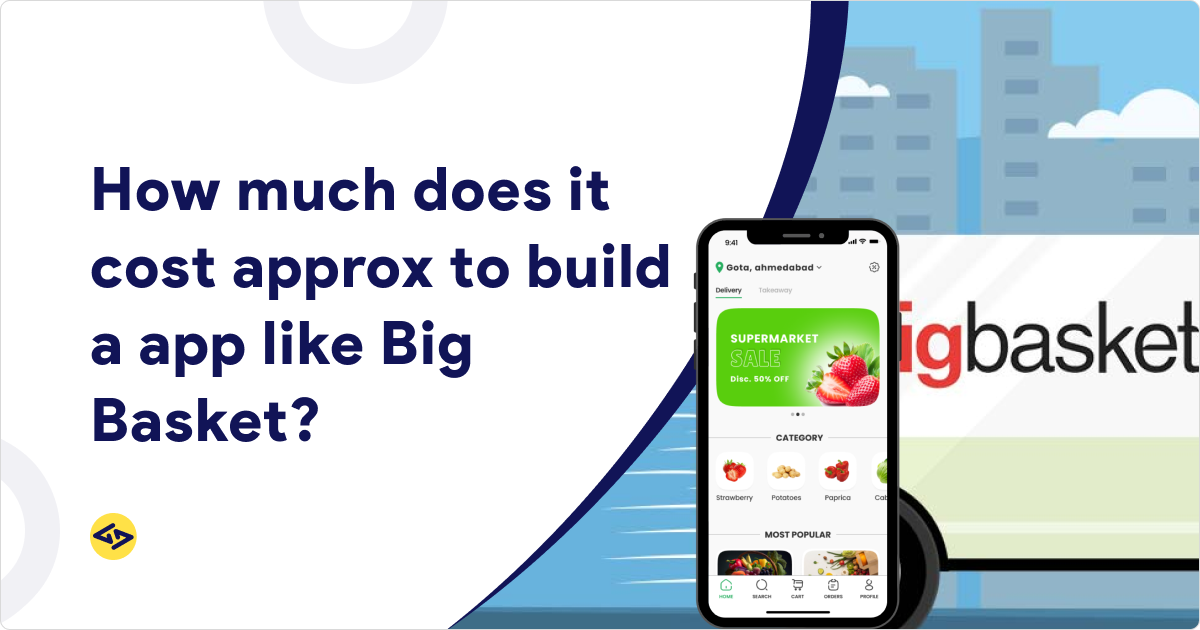
Online grocery shopping isn’t a trend anymore; it’s the default way millions of people restock their kitchens. Between full-basket weekly orders and 10-minute quick commerce deliveries, apps like BigBasket and Grofers (now Blinkit) rewired how consumers expect groceries to show up at their door. Naturally, that’s pulled in a wave of startups, retailers, and investors asking the same question: what does grocery app development cost actually look like?
The honest answer is it depends, but that’s not very useful on its own. This guide breaks down exactly what it depends on, so you walk away with a real number range instead of a vague estimate.
You’ll learn what a grocery delivery app is actually made of, which features drive up the bill, a full grocery app development cost breakdown by stage and by project size, the right grocery app technology stack, a realistic timeline, and how to keep costs sane without cutting corners. If you’re weighing whether to build an app like BigBasket or Grofers, this is the guide to bookmark.
What Is a Grocery Delivery App Like BigBasket or Grofers?
At a basic level, a grocery delivery app connects shoppers to grocery inventory, whether that inventory sits in a central warehouse, a partner store, or a hyperlocal dark store, and gets it delivered, usually within hours or minutes.
How These Apps Work
Every serious grocery platform is really four connected products, not one app:
- Customer App – where shoppers browse, order, and pay
- Store/Vendor Panel – where store owners or warehouse staff manage stock and fulfill orders
- Delivery Partner App – where riders accept, navigate, and complete deliveries
- Admin Dashboard – where the business tracks orders, inventory, revenue, and performance
Any cost to build grocery app like BigBasket conversation needs to account for all four, because skipping one just means building it later, at a higher cost.
BigBasket vs. Grofers (Blinkit)
| Feature | BigBasket | Grofers (Blinkit) |
| Business Model | Inventory + Marketplace | Quick Commerce |
| Delivery Time | Same Day / Scheduled | 10–30 Minutes |
| Inventory | Warehouses + Stores | Dark Stores |
| Target Audience | Families | Urban Consumers |
These two models cost different amounts to build and run; more on that shortly.
Why Build a Grocery Delivery App?
Before getting to numbers, it’s worth understanding why this category keeps attracting investment:
- The online grocery market keeps growing year over year as more shoppers move off physical store trips
- Quick commerce demand has exploded, especially in dense urban markets
- Smartphone and UPI/digital payment adoption removes old friction points
- Groceries are a recurring purchase — unlike most e-commerce categories, customers come back weekly, not once a year
- Multiple revenue levers exist beyond just product margin: delivery fees, subscriptions, commissions, and ads
That recurring-revenue nature is exactly why founders are willing to invest in grocery delivery app development cost upfront; the lifetime value per customer is high.
Factors That Affect Grocery App Development Cost
There’s no single number because ten different apps called “grocery apps” can have wildly different scopes. Here’s what actually moves the price:
Platform Selection — Android only, iOS only, web, or cross-platform (Flutter/React Native) all carry different price tags. Cross-platform is usually the most cost-efficient starting point.
App Complexity — MVP, medium-complexity, or enterprise-grade builds sit on very different budgets (covered in detail below).
Feature Set — Every feature you add, smart search, live tracking, loyalty programs, adds development and QA hours.
UI/UX Design — A polished, tested design system costs more upfront but reduces drop-off and support costs later.
Technology Stack — Your choice of frontend, backend, database, and cloud provider affects both build cost and long-term scalability.
Third-Party Integrations — Payment gateways, maps, SMS/OTP, and push notification services all come with their own setup and ongoing usage costs.
Development Team Location — Rates vary significantly between US/UK agencies, Eastern Europe, and India-based teams (India-based grocery app development company partners typically deliver at a fraction of Western rates without sacrificing quality).
Security & Compliance — Payment data, PII, and delivery-address handling all require secure architecture, which takes engineering time to get right.
Post-Launch Maintenance — Ongoing bug fixes, OS updates, and feature additions are a recurring cost, not a one-time one.
Must-Have Features of a Grocery App Like BigBasket
Customer App
- Registration/Login
- Smart Search
- Product Categories
- Wishlist
- Shopping Cart
- Secure Payments
- Order Tracking
- Ratings & Reviews
- Push Notifications
Delivery Partner App
- Order Acceptance
- Route Optimization
- Navigation
- Earnings Dashboard
- Delivery History
Admin Panel
- Product Management
- Inventory Management
- Customer Management
- Order Management
- Promotions
- Reports & Analytics
These aren’t optional extras; they’re the baseline grocery app features any competitive product needs before launch.
Advanced Features That Increase Development Cost
Once the core is built, most businesses layer in features that improve retention and margins, but each one adds to the budget:
- AI Product Recommendations
- Voice Search
- Subscription Plans
- Loyalty Rewards
- Multi-language Support
- Digital Wallet
- Live Chat
- Smart Inventory Prediction
- Dynamic Pricing
- Real-Time Analytics
A smart approach is to launch without most of these and add them once real usage data tells you which ones matter for your audience, see our guide on AI grocery delivery app development for how AI features specifically pay off post-launch.
Grocery App Development Cost Breakdown
Cost by Development Stage
| Stage | Estimated Cost |
| Discovery & Planning | $2,000–$5,000 |
| UI/UX Design | $3,000–$8,000 |
| Frontend Development | $8,000–$20,000 |
| Backend Development | $10,000–$25,000 |
| QA Testing | $3,000–$8,000 |
| Deployment | $1,000–$3,000 |
Overall Cost Estimate
| Project Type | Estimated Cost |
| MVP Grocery App | $20,000–$40,000 |
| Medium Complexity | $40,000–$80,000 |
| Enterprise App Like BigBasket | $80,000–$200,000+ |
If you’re specifically weighing an MVP versus a full BigBasket clone app development project, start at the lower end and validate demand before scaling investment. For a deeper stage-by-stage look, see cost to develop a grocery delivery app.
Hidden Costs You Shouldn’t Ignore
Many founders budget for development and forget everything that comes after launch:
- Server & Cloud Hosting
- API Costs (maps, payments, SMS)
- SMS & OTP Services
- Payment Gateway Fees
- App Store Fees (Apple/Google)
- Ongoing Maintenance
- Bug Fixes
- Feature Updates
- Marketing
- Customer Support
Realistically, budget 15–20% of your initial build cost annually for grocery app maintenance cost and upkeep.
Technology Stack for Grocery App Development
| Layer | Technologies |
| Frontend | Flutter, React Native |
| Backend | Node.js, Laravel |
| Database | PostgreSQL, MongoDB |
| Cloud | AWS, Azure, Google Cloud |
| APIs | Google Maps, Stripe, Razorpay, Firebase, Twilio |
This combination balances speed of development with the scalability grocery apps need during peak-hour order surges. For a full comparison of frontend and backend options, read best tech stack for grocery app.
Step-by-Step Grocery App Development Process
- Market Research
- Competitor Analysis
- Business Model Selection
- Feature Planning
- UI/UX Design
- MVP Development
- API Integration
- QA Testing
- Launch
- Marketing
- Continuous Improvement
Curious how the finished product actually functions behind the scenes? See grocery delivery app work for a breakdown of the order lifecycle.
Grocery App Development Timeline
| Phase | Duration |
| Discovery | 2 Weeks |
| Design | 3 Weeks |
| Development | 12–16 Weeks |
| QA Testing | 3 Weeks |
| Deployment | 1 Week |
Total: Approximately 4–6 months, depending on feature scope and platform count.
Cost Optimization Tips
- Build an MVP first, not the full feature list
- Use cross-platform development to cover iOS and Android from one codebase
- Prioritize the features your customers will actually use on day one
- Choose scalable cloud infrastructure so you don’t need to rebuild at scale
- Use proven third-party APIs instead of building payments or maps in-house
- Plan future enhancements in phases, tied to real user feedback
Grocery App Business Models
- Inventory-Based Model – you own the stock, similar to BigBasket’s warehouse approach
- Marketplace Model – you connect customers to third-party stores/vendors
- Hyperlocal Delivery Model – localized dark stores serving a small delivery radius
- Subscription-Based Model – recurring orders and membership perks
- Quick Commerce Model – 10–30 minute delivery via dense dark-store networks, like Blinkit
If you’re planning a store-network approach, check out build dark store grocery delivery app for architecture specifics.
Revenue Streams
- Product Sales
- Delivery Charges
- Subscription Plans
- Commission Fees
- Featured Listings
- In-App Advertising
- Brand Partnerships
A well-planned monetization mix is often what separates a break-even grocery app from a profitable one; see grocery delivery app monetization for a deeper dive.
Common Challenges in Grocery App Development
- Inventory Synchronization across stores or warehouses
- Peak-Time Order Management during rush hours
- Last-Mile Delivery logistics
- Data Security for payments and personal data
- Customer Retention in a competitive market
- Scalability as order volume grows
- Real-Time Tracking accuracy
None of these are dealbreakers, but they’re the areas where inexperienced teams tend to underestimate effort, and cost.
BigBasket vs. Grofers: Which Model Costs More?
| Area | BigBasket | Grofers (Blinkit) |
| Warehouses | High Investment | Medium |
| Dark Stores | Optional | Required |
| Delivery Speed | Standard | Ultra Fast |
| Initial Cost | Higher | Higher (for logistics) |
BigBasket’s warehouse-heavy model demands more upfront capital in physical infrastructure, while Grofers’ quick-commerce approach shifts cost into a dense dark-store network and faster logistics tech. Neither is inherently “cheaper”; the money just moves to a different part of the business. Whichever direction you lean, your grocery app development cost should be planned alongside your operational model, not separately from it.
How to Reduce Grocery App Development Costs Without Compromising Quality
- Start with an MVP to validate demand before investing further
- Use Agile development so you can course-correct early and often
- Integrate reliable third-party services instead of building from scratch
- Build a scalable architecture from day one, even if you launch lean
- Outsource to an experienced grocery app development company that’s built similar platforms before
Why Choose iCoderz Solutions for Grocery App Development?
If you’re ready to move from planning to building, iCoderz Solutions brings:
- 14+ years of mobile app development expertise
- Specialization in grocery and on-demand delivery solutions
- Custom grocery delivery app development tailored to your business model
- Scalable architecture built for growth, not just launch
- End-to-end development, from discovery to deployment
- Agile methodology with regular milestones and transparency
- Post-launch support and maintenance so your app keeps running smoothly
For more inspiration on scope and features, browse best grocery app development ideas, or if quick commerce is your target model, read app like blinkit. Retail businesses exploring their own delivery layer may also find grocery delivery app development for retail chains useful.
Conclusion
Building a grocery app like BigBasket or Grofers can cost anywhere from $20,000 for a lean MVP to $200,000+ for an enterprise-grade platform, and the real number for your business depends on your chosen business model, feature set, platforms, and scalability needs.
The smartest path for most founders is to start with an MVP, validate demand with real customers, and layer in advanced features — AI recommendations, subscriptions, dynamic pricing, once you know what your market actually wants. That approach protects your budget while still leaving room to scale into a full BigBasket- or Blinkit-style platform down the line.
Ready to get a cost estimate tailored to your specific business model and feature list? Contact iCoderz Solutions for a free consultation and a customized grocery app development quote. You can also read our complete grocery delivery app development guide for next steps.
Ready to Build Your Own Grocery App Like BigBasket?
Take the first step towards launching your grocery delivery app and unlocking new business opportunities!

Frequently Asked Questions (FAQs)
How much does it cost to build an app like BigBasket?
A BigBasket-style app with inventory management, warehouse integration, and full e-commerce features typically costs between $40,000 and $200,000+, depending on complexity and platform coverage.
How much does it cost to develop an app like Grofers (Blinkit)?
A quick-commerce app like Grofers/Blinkit usually costs $50,000–$150,000+, since it requires dark-store logistics, real-time inventory sync, and fast delivery-partner routing on top of standard e-commerce features.
What factors affect grocery app development cost?
Platform choice, app complexity, feature set, UI/UX design quality, technology stack, third-party integrations, team location, security requirements, and post-launch maintenance all affect the final cost.
How long does grocery app development take?
Most grocery apps take 4–6 months from discovery to deployment, depending on scope and the number of platforms (iOS, Android, web) being built.
Which features are essential in a grocery delivery app?
At minimum, you need a customer app (search, cart, payments, tracking), a delivery partner app (order acceptance, navigation, earnings), and an admin panel (inventory, orders, analytics).
What is the best technology stack for grocery app development?
A common, reliable stack is Flutter or React Native for frontend, Node.js or Laravel for backend, PostgreSQL or MongoDB for the database, and AWS or Google Cloud for hosting.
How can I reduce grocery app development costs?
Build an MVP first, use cross-platform frameworks, prioritize must-have features, rely on proven third-party APIs, and work with an experienced development partner who won’t need to relearn the domain.
Should I build an MVP first?
Yes. An MVP lets you validate your business model and gather real user feedback before investing in advanced, costlier features — reducing overall financial risk.
What are the ongoing maintenance costs of a grocery app?
Expect to budget roughly 15–20% of your initial development cost annually for hosting, API usage, bug fixes, security updates, and feature improvements.
How do grocery delivery apps make money?
Common revenue streams include product markups, delivery fees, subscription plans, vendor commissions, featured product listings, in-app advertising, and brand partnerships.