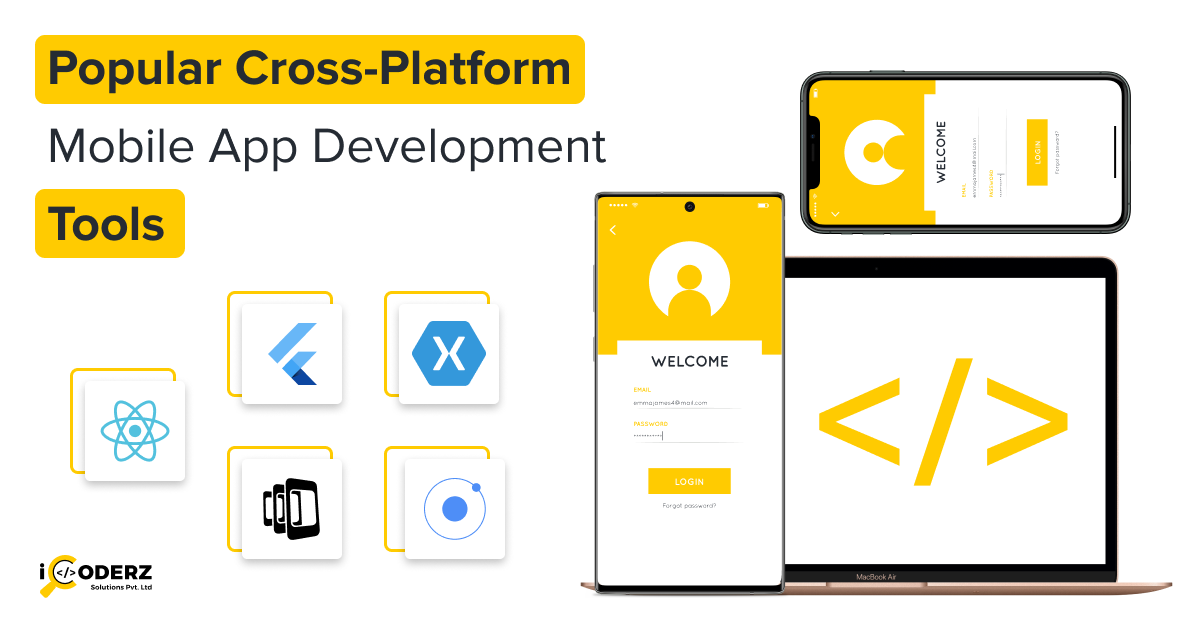
Users expect your app on both iPhone and Android, but building two separate apps doubles the work and the cost. That is why popular cross-platform mobile app development tools such as Flutter, React Native and Kotlin Multiplatform have become the default starting point for many teams. They let developers write most of the code once and ship it to both platforms.
The catch is that these tools are not interchangeable. Picking the wrong one can mean slow screens, hard-to-find developers or a costly rewrite a year later. This guide explains what cross-platform development is, compares 10 leading tools, and gives you a simple way to choose. You will also find a side-by-side table, a Flutter vs React Native breakdown, and answers to common questions. If you are still scoping your project, our mobile application development overview is a useful companion.
What Are Cross-Platform Mobile App Development Tools?
How a single codebase works
Instead of writing Swift for iOS and Kotlin for Android, your team writes shared code in one language. The framework then turns that code into a working app for each platform. It does this in one of three ways:
- Drawing its own interface: Flutter renders every pixel itself, so the app looks identical everywhere.
- Mapping to native components: React Native and .NET MAUI translate your code into real platform buttons, lists and menus.
- Wrapping a web app: Ionic, Capacitor and Cordova run a web app inside a native shell with access to device features.
Cross-platform vs native in one minute
Native development means building separate apps with each platform’s own language and tools. It offers the deepest access to device features. Cross-platform trades a little of that depth for speed, lower cost and one team maintaining one product. A fuller comparison appears later in this article.
Key benefits
- Reduced development time: Features are built once, not twice.
- Lower development costs: One team and one codebase usually cost less than two.
- Code reusability: Business logic, and often the UI, is shared.
- Easier maintenance: Bug fixes and updates are applied in one place.
- Wider audience reach: You launch on both app stores together.
For a deeper look at the approach itself, see our cross-platform app development page.
10 Popular Cross-Platform Mobile App Development Tools
1. Flutter
What it is: Flutter is Google’s open-source UI toolkit for building apps for mobile, web and desktop from one codebase. It is one of the most widely used cross-platform mobile app development frameworks.
Programming language: Dart
Platforms: iOS, Android, web, Windows, macOS, Linux
Key features:
- Its own rendering engine, which gives pixel-level control over the interface
- Stateful hot reload for fast iteration
- A large library of ready-made widgets for Material and Cupertino (iOS-style) design
- Compiles to native ARM code for mobile
Advantages: Highly consistent UI across devices, strong performance, smooth animations and a fast development loop.
Limitations: Dart is less common than JavaScript, so hiring can take longer. App size can be larger than a purely native app. Some platform-specific features need custom native code.
Best for: Apps with custom, brand-heavy designs, MVPs and products that need one UI on many platforms. If you want to go deeper, explore our Flutter app development services.
2. React Native
What it is: React Native is Meta’s open-source framework for building mobile apps with React. It renders real native components rather than web views.
Programming language: JavaScript / TypeScript
Platforms: iOS and Android (with community and partner support for other targets)
Key features:
- Native UI components driven by React
- Fast Refresh for quick feedback
- A huge npm ecosystem and a very large developer community
- A newer architecture designed to improve communication between JavaScript and native code
Advantages: Easy to hire for, since many web developers already know React. It also works well when a company wants to share skills between its web and mobile teams.
Limitations: It relies on third-party libraries for many features, which can create upgrade and compatibility work. Highly custom animations may need native modules.
Best for: Business and consumer apps such as marketplaces, social apps, fintech dashboards and on-demand services.
3. Kotlin Multiplatform
What it is: Kotlin Multiplatform (KMP) is JetBrains’ technology for sharing code between platforms. Rather than replacing native development, it lets you share logic while keeping the option of native UI.
Programming language: Kotlin
Platforms: Android, iOS, desktop, web and server
Key features:
- Share business logic, networking and data layers across platforms
- Keep fully native UI with SwiftUI and Jetpack Compose, or share UI using Compose Multiplatform
- Strong fit with existing Android codebases
- Backed by JetBrains and Google
Advantages: Native performance and look, gradual adoption and low risk for teams that already use Kotlin.
Limitations: iOS teams may need to learn some Kotlin. The ecosystem of shared libraries is smaller than React Native’s, and tooling for iOS is still maturing.
Best for: Companies with existing native apps, teams that want shared business logic without giving up native UI.
4. .NET MAUI
What it is: .NET MAUI (Multi-platform App UI) is Microsoft’s framework for building native apps with C# and .NET. It is the successor to Xamarin.Forms.
Programming language: C# (with XAML for layouts)
Platforms: Android, iOS, macOS and Windows
Key features:
- Single project structure for all targets
- Access to the full .NET ecosystem and Visual Studio tooling
- Native controls on each platform
- Blazor Hybrid option for reusing web components
Advantages: A natural choice for companies already invested in Microsoft technologies, with strong enterprise tooling.
Limitations: The community is smaller than Flutter’s or React Native’s, and some teams report tooling rough edges. Third-party UI options are more limited.
Best for: Internal business apps, enterprise tools and teams with C# expertise.
5. Ionic
What it is: Ionic is an open-source UI toolkit for building mobile apps with web technologies. It works with Angular, React and Vue.
Programming language: HTML, CSS and JavaScript / TypeScript
Platforms: iOS, Android and web (as a progressive web app)
Key features:
- A library of mobile-optimised UI components
- Works with popular web frameworks
- Uses Capacitor to access native device features
- One codebase for mobile and web
Advantages: Low learning curve for web developers and quick prototyping.
Limitations: Because apps run inside a web view, performance can lag behind native or Flutter for graphics-heavy screens.
Best for: Content apps, internal tools, and web-based mobile apps where speed to launch matters more than advanced animation.
6. NativeScript
What it is: NativeScript is an open-source framework that lets developers call native iOS and Android APIs directly from JavaScript or TypeScript.
Programming language: JavaScript / TypeScript (works with Angular, Vue, Svelte and others)
Platforms: iOS and Android
Key features:
- Direct access to native APIs without wrapper plugins
- Renders native UI components
- Supports several web frameworks
Advantages: Deep native access and a familiar language for JavaScript developers.
Limitations: A smaller community and fewer ready-made plugins than React Native or Flutter.
Best for: Teams that need native-feeling apps and direct API access while staying in JavaScript.
7. Apache Cordova
What it is: Apache Cordova is one of the earliest tools for wrapping web apps as mobile apps. Your HTML, CSS and JavaScript run inside a native container, and plugins connect them to device features like the camera and GPS.
Programming language: HTML, CSS and JavaScript
Platforms: Android, iOS and other mobile platforms through plugins
Key features:
- Large plugin library for device access
- Works with almost any web framework
- Mature and open source
Advantages: Simple, cheap way to turn an existing web app into a mobile app.
Limitations: Performance and UI feel are limited by the web view. Many teams now prefer Capacitor, which offers a more modern workflow.
Best for: Simple apps and existing web applications that need a quick mobile presence.
8. Unity
What it is: Unity is a real-time engine best known for games and 3D experiences. It builds for most major mobile and console platforms from one project.
Programming language: C#
Platforms: iOS, Android, consoles, PC and more
Key features:
- Powerful 2D and 3D rendering and physics
- Large asset store and plugin ecosystem
- Strong support for AR and VR
Advantages: Excellent for visually rich, interactive content and mobile games.
Limitations: It is overkill for standard business apps, and building conventional app screens takes more effort than with UI frameworks.
Best for: Mobile games, AR experiences and 3D visualisation apps.
9. Capacitor
What it is: Capacitor is an open-source native runtime from the Ionic team. It packages a web app as a native iOS or Android app and exposes native APIs through a simple JavaScript bridge.
Programming language: HTML, CSS and JavaScript / TypeScript
Platforms: iOS, Android and web
Key features:
- Works with any web framework, including React, Angular and Vue
- Native projects you can open and customise in Xcode and Android Studio
- Plugins for camera, filesystem, push notifications and more
Advantages: A clean path from a web app to the app stores, and a modern alternative to Cordova.
Limitations: Like other web-view tools, it is not ideal for graphics-intensive apps.
Best for: Converting existing web applications into mobile apps with minimal rework.
10. Qt
What it is: Qt is a mature C++ framework with a declarative UI language called QML. It is widely used for desktop software, embedded devices and automotive interfaces, and it also targets mobile.
Programming language: C++ and QML (Python bindings are also available)
Platforms: Android, iOS, Windows, macOS, Linux and embedded systems
Key features:
- High-performance rendering
- One toolkit from mobile to embedded hardware
- Extensive tooling, including Qt Creator
Advantages: Strong performance and a good fit for hardware-linked products.
Limitations: Commercial licensing can add cost, the learning curve is steeper, and the mobile community is smaller.
Best for: Embedded systems, industrial and automotive interfaces, and apps that must run across many device types.
Comparison of the Best Cross-Platform App Development Tools
| Tool | Programming language | Platform support | Best suited for |
|---|---|---|---|
| Flutter | Dart | iOS, Android, Web, Desktop | Custom UI and performance |
| React Native | JavaScript / TypeScript | iOS, Android | Business and consumer apps |
| Kotlin Multiplatform | Kotlin | Android, iOS and others | Shared business logic |
| .NET MAUI | C# | Android, iOS, Windows, macOS | Microsoft ecosystem |
| Ionic | HTML, CSS, JavaScript | iOS, Android, Web | Web-based mobile apps |
| NativeScript | JavaScript / TypeScript | iOS, Android | Native mobile experiences |
| Apache Cordova | HTML, CSS, JavaScript | Multiple mobile platforms | Existing web applications |
| Unity | C# | iOS, Android and others | Mobile games and 3D apps |
| Capacitor | HTML, CSS, JavaScript | iOS, Android, Web | Web-to-mobile applications |
| Qt | C++ / QML | Multiple platforms | Embedded and cross-platform applications |
If your team already works in JavaScript and wants to move fast, our React Native app development team can help you assess whether it is the right fit.
Flutter vs React Native: Which Is Better?
Performance
Flutter compiles to native code and draws its own interface, which helps it hold steady frame rates in animation-heavy screens. React Native uses native components and, with its newer architecture, has narrowed the old performance gap. For typical apps such as forms, feeds and dashboards, users will rarely notice a difference.
Development experience
Both offer fast refresh while coding. Flutter ships with a rich, consistent toolkit, so teams spend less time choosing libraries. React Native gives you more flexibility but more decisions, and it depends more on community packages.
UI customization
Flutter gives you full control, so a branded design looks the same on a low-end Android phone and the latest iPhone. React Native follows each platform’s native look by default, which feels familiar to users but can require extra work for pixel-perfect custom designs.
Community and ecosystem
React Native benefits from the huge JavaScript and React community. Flutter’s community is large and growing, with strong official packages and documentation. Both are well supported by major companies.
Development and maintenance costs
Costs depend more on team skills than the framework. A company with React developers may build faster in React Native; a team starting fresh may find Flutter’s all-in-one toolkit more efficient. Maintenance is simpler in both than running two native codebases.
Best use cases
- Choose Flutter for: design-led products, MVPs, apps targeting mobile plus web or desktop.
- Choose React Native for: teams with React skills, apps that should feel native, and products sharing logic with a web app.
For a deeper side-by-side, read our full guide on Flutter vs React Native.
Other common matchups: React Native vs Ionic: React Native feels more native and performs better; Ionic is faster for web teams. Flutter vs Kotlin Multiplatform: Flutter shares the UI too, while Kotlin Multiplatform focuses on sharing logic and keeps native UI optional.
Cross-Platform vs Native App Development: Key Differences
| Factor | Cross-platform | Native |
|---|---|---|
| Development approach | One shared codebase | Separate codebases for iOS and Android |
| Performance | Very good for most apps; some overhead | Best possible performance |
| Development cost | Generally lower | Generally higher |
| Time to market | Faster | Slower |
| Maintenance | One codebase to update | Two codebases to update |
| User experience | Strong; may need tuning for platform feel | Fully platform-specific |
| Scalability | Scales well for most products | Ideal for very complex or hardware-heavy apps |
Native remains the better choice for apps that depend heavily on new platform features on release day, advanced camera or sensor work, or intensive graphics. If you decide native is right, we also build for Android directly.
How to Choose the Right Cross-Platform Mobile App Development Tool
- Project requirements and complexity. A simple content app can use Ionic or Capacitor. A feature-rich consumer app is better served by Flutter or React Native.
- Target platforms. Need web and desktop too? Flutter and .NET MAUI cover more ground. Mobile only? React Native is a strong fit.
- Performance requirements. Animation-heavy or graphics-heavy products favour Flutter, Kotlin Multiplatform or Unity.
- Development budget. Look at total cost, including hiring. A framework your team already knows is usually cheaper than a theoretically better one.
- Developer expertise. JavaScript teams lean toward React Native or Ionic; C# teams toward .NET MAUI; Kotlin teams toward Kotlin Multiplatform.
- Third-party integrations. Check that payments, maps, analytics and authentication SDKs you need have maintained plugins.
- Community support and documentation. Active communities mean faster answers and longer tool lifespans.
- Long-term scalability and maintenance. Review release cadence, backing company and upgrade history.
A practical example (illustrative scenario): Imagine a 10-person startup building a booking app. Their developers already know React, they need to launch in four months, and the design is fairly standard. React Native is a sensible pick because they can reuse skills and hire quickly. Now imagine a fintech brand with a highly custom, animated interface and a plan to add a web version. Flutter likely fits better. The tool is the same category, but the context changes the answer.
Want to see how this works in practice? Our Flutter app development guide walks through typical project planning.
Benefits of Using Cross-Platform Mobile App Development Tools for Businesses
- Faster time to market: One build cycle gets you onto both app stores sooner, which helps you test your idea and learn from real users.
- Reduced development costs: A single team and shared code cut duplicated effort. Exact savings vary by project, so ask for estimates based on your scope.
- Consistent user experience: Features, branding and behaviour stay aligned across iOS and Android.
- Simplified maintenance: Fixes and new features ship from one codebase, reducing the chance that the two apps drift apart.
- Easier product expansion: Frameworks like Flutter and Kotlin Multiplatform can extend to web or desktop with less rework.
Businesses that also want a polished presence on Apple devices can pair this approach with dedicated iOS app development expertise where needed.
Common Challenges of Cross-Platform Mobile App Development
- Platform-specific functionality: Some features, such as certain Bluetooth, health or widget capabilities, need native code. Fix: Use platform channels or native modules, and budget for a native developer on the team.
- Performance optimization: Heavy lists, animations and large images can cause lag. Fix: Profile early, lazy-load content, optimise images and test on lower-end devices.
- Third-party plugin compatibility: Plugins can fall behind OS or framework updates. Fix: Prefer actively maintained packages, pin versions and schedule regular dependency updates.
- UI consistency: iOS and Android users have different expectations. Fix: Follow each platform’s design guidelines where it matters and use adaptive layouts.
- Native API limitations: New OS features may arrive before framework support does. Fix: Write a small native bridge, or contribute to or follow the framework’s roadmap.
In short, cross-platform does not remove the need for platform knowledge. It reduces how often you need it.
Conclusion
The most popular cross-platform mobile app development tools each solve a different problem. Flutter and React Native are the leading general-purpose choices, Kotlin Multiplatform is ideal for sharing logic while staying native, .NET MAUI serves the Microsoft ecosystem, and Ionic, Capacitor and Cordova help web teams reach mobile. Unity and Qt cover games and embedded products.
There is no single best framework. The right choice depends on your project requirements, budget, performance needs, team skills and plans for scaling. Before committing, list your technical and business goals, test a small prototype if you can, and talk to a team that has shipped apps in your chosen stack.
Need help choosing the right framework? Our team can review your idea and recommend an approach. Visit iCoderz Solutions to start the conversation.
Frequently Asked Questions About Cross-Platform Mobile App Development Tools
Which is the best tool for cross-platform mobile app development?
Flutter and React Native are the most popular choices. Flutter is best for custom, consistent UI, and React Native is best for teams with JavaScript or React skills. The best tool depends on your project, budget and team.
Is Flutter better than React Native?
Not always. Flutter often offers more UI control and consistent visuals, while React Native offers a larger talent pool and web-skill reuse. For most business apps, both perform well.
Which cross-platform framework is best for startups?
Startups often choose Flutter or React Native because they speed up MVP development and keep costs manageable. Pick the one your team already knows or can hire for easily.
Can cross-platform apps run on both iOS and Android?
Yes. That is their main purpose. A single codebase is built into separate installable apps for iOS and Android, and some tools also support web and desktop.
Are cross-platform mobile apps as good as native apps?
For most apps, yes. Modern frameworks deliver smooth, near-native experiences. Native can still be better for graphics-intensive apps or those relying heavily on the latest platform-specific features.
Which cross-platform development tool is easiest for beginners?
Beginners with web experience often find React Native, Ionic or Capacitor easiest. Flutter is also beginner-friendly thanks to its clear documentation and all-in-one toolkit, though it requires learning Dart.
Are cross-platform mobile app development tools free?
Most leading tools, including Flutter, React Native, Kotlin Multiplatform, .NET MAUI, Ionic, NativeScript, Cordova and Capacitor, are open source and free to use. Costs come from development time, third-party services, store fees and, for some tools like Qt or Unity at scale, licensing.
Which framework offers the best performance for mobile apps?
Flutter and Kotlin Multiplatform with native UI are generally strongest for performance, followed closely by React Native. Web-view tools like Ionic and Cordova are typically slower for demanding screens.
How much does cross-platform app development cost?
Cost varies widely with features, design, integrations and team location. Cross-platform usually costs less than building two native apps, but you should request a scoped estimate rather than rely on generic figures.
What is the best technology stack for cross-platform mobile app development?
A common stack pairs a framework such as Flutter or React Native with a cloud backend, an API layer, analytics and CI/CD automation. Your exact stack should follow your team’s skills and product needs.