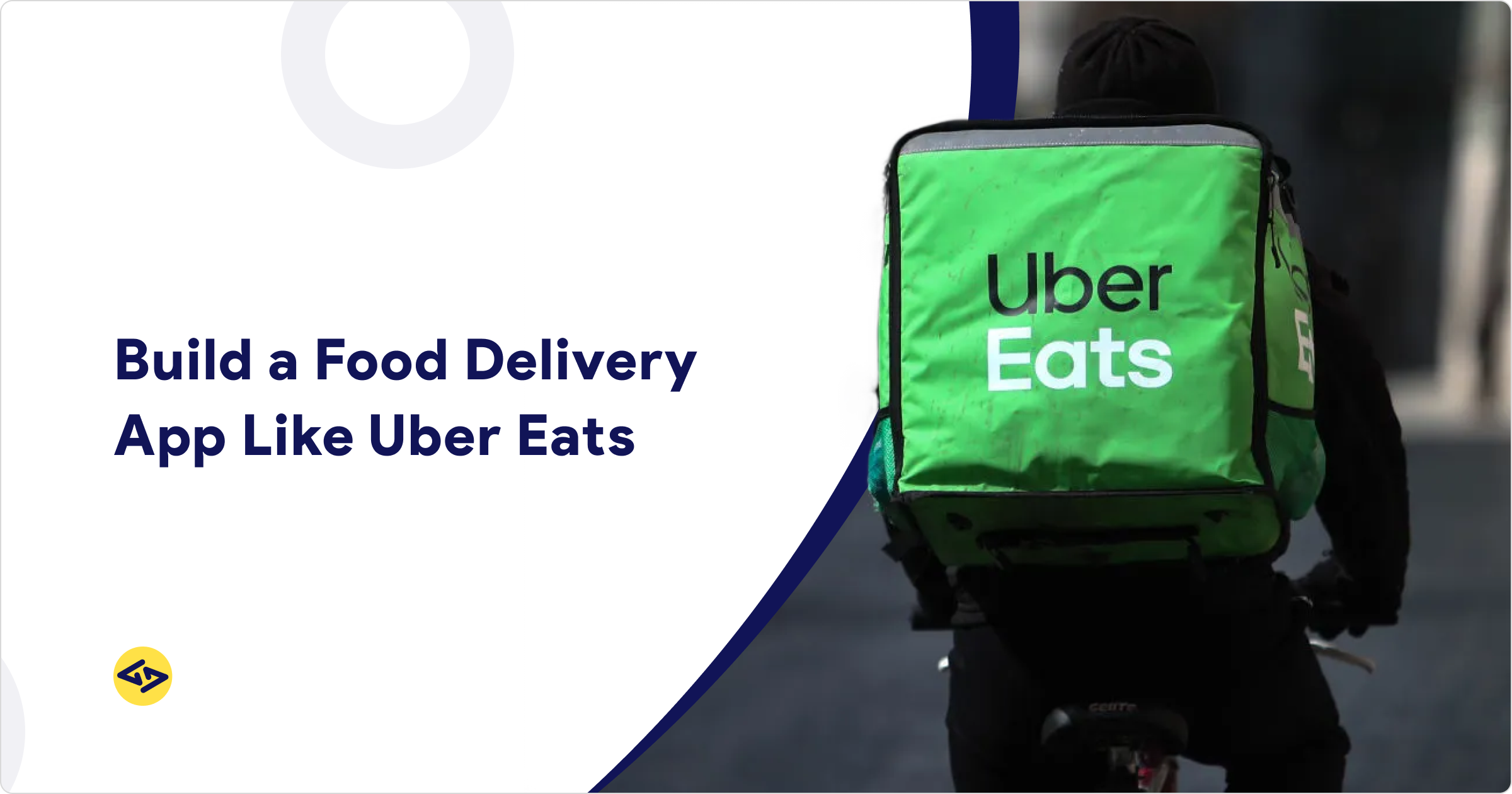
Thinking about how to build an app like UberEats? You are not alone. The on-demand food delivery market is projected to exceed $500 billion globally by 2030 (Grand View Research), and entrepreneurs worldwide are racing to capture their share of it.
But building a food delivery app like UberEats is not as simple as cloning a UI. It requires a deeply integrated system — a Customer app, a Restaurant dashboard, a Driver app, and an Admin panel — all working in real time.
Get any one part wrong and the entire experience breaks down.In this guide, we break down everything you need to know: must-have features for each panel, the tech stack powering real-time GPS and payments, realistic development costs, and how to choose the right approach for your budget and goals.
How UberEats Works and Why It Matters Before You Build
UberEATS was born from Uber’s success in ride-hailing — the company extended its on-demand logistics model into food delivery, giving restaurants a delivery fleet without needing their own. Today, UberEats operates in 6,000+ cities across 24+ countries, making it one of the most studied models for anyone looking to build an app like UberEats. If you want to understand the revenue streams and business logic behind the platform before you build, our in-depth UberEats business model breakdown is worth reading first.
When you start a project to develop an on-demand food delivery app — similar to UberEats, you need to focus on four essential components:
Customer App: Ordering & tracking
Restaurant Dashboard: Order & menu management
Driver App: Delivery & GPS
Admin Panel: Full control centre
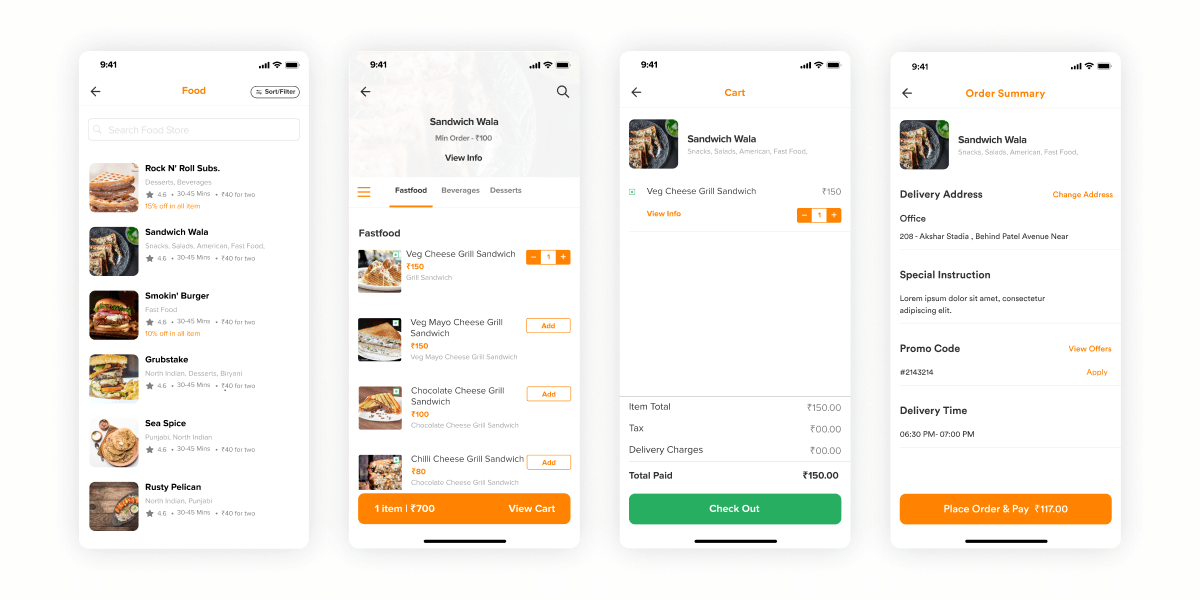
Each component serves a distinct role: the customer app handles ordering, the restaurant dashboard manages preparation and processing, the driver app handles the actual delivery, and the admin panel orchestrates the entire operation.
How a Food Delivery App Like UberEats Actually Works — Step by Step
Before diving into the features, it helps to understand the complete order journey. Here is exactly how the system works from the moment a customer opens the app to the moment food lands at their door — and what is happening behind the scenes across all four panels simultaneously.
Step 1 — Customer Opens the App & Browses
The customer opens the app, logs in (or signs up via social login), and enters their delivery address. The app uses their GPS location to show nearby restaurants that deliver to that area. The customer browses menus, reads reviews, filters by cuisine or delivery time, and selects items to add to their cart.
Step 2 — Customer Places the Order & Pays
After reviewing the cart, the customer applies any promo codes, selects a payment method (card, wallet, COD, etc.), and confirms the order. The payment is processed instantly via the integrated payment gateway (Stripe, Razorpay, etc.). The customer receives an order confirmation with an estimated delivery time.
Step 3 — Restaurant Receives & Accepts the Order
The moment the customer confirms, a real-time push notification fires to the restaurant’s dashboard via Socket.IO. The restaurant sees the full order — items, customisations, delivery address, and customer details. The restaurant staff accepts the order (or rejects it if they cannot fulfil it) and begins preparing the food. The order status updates in real time on the customer’s screen.
Step 4 — System Assigns a Nearby Driver
While the restaurant prepares the food, the Admin Panel’s dispatch algorithm scans for available drivers in the vicinity. The nearest available driver receives a pickup request on their Driver App. If they accept, they are assigned to the order. If they decline or do not respond within a set time, the system automatically moves to the next closest driver.
Step 5 — Driver Picks Up the Order
The driver navigates to the restaurant using the integrated Google Maps directions in their app. Upon arrival, they confirm the pickup — marking the order as “picked up.” The customer’s app updates in real time, showing the driver’s live location on a map as they head towards the delivery address.
Step 6 — Live Tracking & Delivery
This is where Socket.IO does the heavy lifting. The driver’s GPS coordinates are pushed to the server in real time and instantly reflected on the customer’s tracking screen. The customer watches the driver move on the map, sees the live ETA update, and gets a push notification when the order is nearby. On arrival, the driver marks the order as “delivered.”
Step 7 — Payment Settled & Review Prompted
For digital payments, the transaction is already complete. For COD, the driver collects cash and confirms receipt in the app. The Admin Panel automatically calculates the driver’s commission and the restaurant’s payout for that order. The customer is prompted to rate the restaurant and the delivery experience — feeding the review system that future customers rely on.
The Admin Panel runs silently behind every step
Throughout this entire journey, the Admin Panel is logging every event — order status changes, payment confirmations, driver locations, restaurant response times, and customer ratings. This data powers everything from payout calculations to fraud detection to platform analytics.
A) Developing an Eye-Catching Customer Side App
The prime task when you build an app like UberEats is developing a striking customer platform from which users can place orders seamlessly. This breaks down into several key features:
1. Login Page
The sign-in page is the entry point for your on-demand food delivery app. After entering details such as name, mobile number, email ID, and password, users can access the app. Social login (Google, Facebook) is essential — it reduces onboarding friction significantly. This also enables customer tracking and personalised services like preferred cuisines and favourite restaurants.
2. Search Menu
A well-structured restaurant menu with cuisine names, images, and prices is critical. The menu should be categorised by cuisine type (Mexican, Indian, Chinese, etc.) and support easy search and filter. Including dish ratings and reviews here helps drive conversion. Easy tap or search functionality saves customers time — and time is the biggest reason they use your food delivery app like UberEats in the first place.
3. Custom Food Items Option
Customers who use on-demand food ordering apps often want personalisation — extra toppings, dietary preferences, portion sizes. A made-to-order option increases average order value and customer satisfaction. This is a feature the top apps all support, and one you should build in from day one.
4. Cart & Checkout
Once items are chosen, users manage checkout by adjusting quantities with plus/minus controls. They complete the payment process and can apply discount coupons or promo codes. Real-time delivery time estimates shown at this stage significantly reduce cart abandonment.
5. Multiple Payment Methods
Offer as many options as your target market uses: PayPal, debit/credit cards, online banking, Apple Pay, Google Pay, and Cash on Delivery (COD). The more payment options available, the fewer drop-offs at checkout — a direct impact on revenue.
6. Real-Time Order Tracking
Live GPS tracking from payment confirmation to doorstep delivery is a non-negotiable feature of any UberEats clone app. It helps customers stay informed, reduces support queries, and helps drivers find precise customer locations. We use Socket.IO for real-time location accuracy in apps we build at iCoderz.
7. Reviews and Ratings
Customers check ratings before ordering. A robust review system for both restaurants and individual dishes builds trust and drives repeat orders — it is one of the features that separates successful food delivery platforms from ones that stagnate.
8. Customer Support
The app must provide support for technical issues, restaurant-related problems, and delivery disputes. A live chat option reduces friction. Poor support is one of the top reasons customers uninstall food delivery apps.
B) Restaurant Dashboard for an On-Demand Food Delivery App
After the customer side, the developer needs to create a powerful restaurant dashboard. If you are building a multi-vendor food delivery platform, this panel becomes even more critical — it is where hundreds of restaurant partners will manage their day-to-day operations.
1. Login & Remote Management
Restaurant owners can log in via smartphone or desktop. Remote management of orders and menu is a key requirement for multi-location chains.
2. Menu Management
Owners must be able to add, edit, and remove items in real time — with images, descriptions, prices, and availability toggles. A menu that cannot be updated quickly creates operational problems during peak hours.
3. Order Management & Tracking
The restaurant needs full visibility into incoming orders — customer details, delivery address, driver assignment, and order status. Confirming charges and tracking order flow in real time is essential for smooth operations.
4. Customer Reviews Tracking
Restaurant owners should be able to monitor ratings and feedback directly. This data is invaluable for menu optimisation and quality control. It also helps the restaurant understand which dishes drive loyalty and which need improvement.
5. Push Notifications
Real-time push notifications for new orders, delays, and delivery confirmations keep the restaurant informed and responsive. For COD orders, timely notifications ensure customers are ready with payment.
C) Rider (Driver) App
The driver app is the operational backbone of your UberEats like app development. Without a smooth driver experience, delivery quality collapses regardless of how good your customer app is.
1. Driver Profile
Driver profiles include personal details, preferred delivery areas, and uploaded verification documents. A well-structured profile ensures accountability and helps with insurance and compliance requirements.
2. Earnings Report
Drivers earn per delivery. Clear earnings tracking — total deliveries, commission earned, payment history — is essential for driver satisfaction and retention. Drivers who can trust their earnings data stay on the platform longer.
3. Availability Toggle
A simple toggle button lets drivers set themselves as available or offline. When offline, they are invisible to restaurants and the admin panel — preventing unwanted order assignments.
4. Live GPS Navigation
Integrated Google Maps with real-time turn-by-turn navigation helps drivers reach the correct pickup and dropoff locations efficiently. At iCoderz Solutions, we use Socket.IO for precise, real-time driver location tracking — powering both the driver’s navigation and the customer’s live tracking view.
5. Order History
A complete order history helps drivers track their performance and resolve payment disputes. Quick access to past deliveries also helps identify patterns for income optimisation.
D) Admin Panel
The Admin Panel is the command centre of your entire food delivery app development. It controls restaurants, drivers, customers, payments, and platform-wide communications.
1. Restaurant Control
Admins can add or remove restaurant partners, manage onboarding, review flagged content, and respond to complaints. For a marketplace model like UberEats, this is where hundreds of restaurant partnerships are managed at scale.
2. Full Application Management
Add, delete, edit, or block any restaurant, user, or delivery partner from a centralised database. The admin has ultimate authority over every entity operating on the platform.
3. Payment Management
A dedicated payment module tracks all order payments, commission structures, driver payouts, and customer refunds. Financial transparency at the admin level is critical for trust and legal compliance.
4. Discounts & Coupons
Admins can push platform-wide discount offers and promo codes, set expiry dates, extend durations, or remove them. This is a key tool for user acquisition campaigns and seasonal promotions.
5. Technical Notifications
The admin can broadcast platform-wide messages for app upgrades, outages, or policy changes — reaching all stakeholders (restaurants, drivers, customers) simultaneously.
6. Tech Stack & App Implementation
Choosing the right technology is as important as the features themselves. Here is what goes into a production-grade food delivery app development stack:
| Layer | Technology Options |
|---|---|
| Mobile (iOS) | Swift / Core Location Framework / MapKit |
| Mobile (Android) | Kotlin / Google Maps API |
| Cross-Platform | React Native or Flutter |
| Backend | Node.js, Laravel, Python |
| Database | PostgreSQL, MongoDB |
| Real-Time Tracking | Socket.IO |
| Maps & Navigation | Google Maps API, Foursquare API |
| Payments | Stripe, Razorpay, PayPal |
| Push Notifications | Firebase (FCM) |
| Cloud Hosting | AWS, Google Cloud, Azure |
7. UI/UX
UI/UX is among the most significant characteristics of any on-demand food delivery app. A clean, intuitive interface directly boosts traffic, order frequency, and user retention. Invest in UX research and testing — apps that lose users in the first session rarely recover them. Read more about how we approach custom food delivery mobile app design for leading platforms.
Cost to Build a Food Delivery App Like UberEats?
The cost to build an app like UberEats varies based on geography, team size, feature complexity, and the tech stack chosen. Here is a realistic breakdown:
| Region | Hourly Rate | Basic App | Full-Featured App |
|---|---|---|---|
| USA / Canada | $120 – $250/hr | $30,000 – $60,000 | $80,000 – $150,000+ |
| Europe | $60 – $130/hr | $20,000 – $40,000 | $50,000 – $100,000 |
| India | $20 – $45/hr | $10,000 – $25,000 | $30,000 – $50,000 |
The total cost of developing a food delivery app like UberEats ranges from $10,000 to $50,000+ depending on features and technology. A highly customised enterprise version will cost more.
For a detailed cost analysis based on app type, see our guide: Cost to Build a Food Delivery App Like UberEats.
How Long Does It Take to Build a Food Delivery App Like UberEats?
Development timelines depend on team size, feature scope, and complexity:
- MVP (customer app + restaurant panel): 3–4 months
- Full app with all 4 panels: 6–9 months
- Enterprise-grade, fully customised solution: 10–14 months
Choosing a readymade SaaS food delivery solution can cut this timeline significantly — launch in weeks rather than months — but at the cost of customisation and long-term flexibility. See our 5-step guide to launching a food delivery app for a process walkthrough.
Build From Scratch vs. Readymade SaaS Food Solution
One of the most common questions we hear from clients who want to build an app like UberEats is whether to build from scratch or go with a readymade solution. Here is an honest comparison:
| Factor | Build From Scratch | Readymade SaaS |
|---|---|---|
| Launch Time | 6–12 months | 2–8 weeks |
| Cost | Higher upfront | Lower upfront (monthly fees) |
| Customisation | Unlimited | Limited |
| Scalability | Full control | Depends on provider |
| Best For | Long-term, scale-up businesses | Idea validation, quick launch |
Our Recommendation
If you are validating a business idea, start with a readymade SaaS solution. If you are building for scale, differentiation, and long-term brand value — go custom from scratch. iCoderz offers both models.
We also cover related models in depth. If you are exploring a Swiggy-like on-demand food delivery app or want to understand building an app like Zomato or Swiggy, those guides are worth reading alongside this one.
Wrapping Up
Online food delivery apps like Swiggy, FoodPanda, and UberEATS have already built their brands and reputations. If you want to compete in this space, your top priority is getting your on-demand food delivery app development done by a reliable technology partner who understands not just code, but the business logic behind successful delivery platforms.
Whether you choose to build a food delivery app like UberEats from scratch or opt for a readymade solution, the key is to start with a clear plan, a focused feature set, and a partner who has done it before.
iCoderz Solutions is a food delivery app development company based in India, with 14+ years of experience building custom apps for startups and enterprises across the USA, UAE, Europe, and Asia. Contact us for a free consultation →
FAQs:
How long does it take to build an app like UberEats?
A basic MVP (customer app + restaurant panel) takes 3–4 months. A full-featured app with all four panels — customer, restaurant, driver, and admin — typically takes 6–9 months. Enterprise-grade custom solutions can take 10–14 months depending on team size and complexity.
What tech stack is used to build a food delivery app like UberEats?
Common choices include React Native or Flutter for cross-platform mobile, Node.js or Laravel for the backend, PostgreSQL or MongoDB for the database, Google Maps API for navigation, and Socket.IO for real-time driver tracking. Firebase handles push notifications, and Stripe or Razorpay manages payments.
Should I build a UberEats clone from scratch or buy a readymade solution?
A readymade SaaS solution is faster and cheaper to launch but offers limited customisation. Building from scratch gives you full control over features, branding, and scalability — ideal for long-term business goals. iCoderz Solutions offers both options and can advise based on your specific goals.
How much does it cost to build a food delivery app like UberEats?
It depends on geography and scope. In India, a full-featured app costs $10,000–$50,000. In the USA or Europe, the same project runs $50,000–$150,000+. A basic MVP can be built for as little as $10,000–$15,000 with an Indian development team.
What is the difference between a single-vendor and multi-vendor food delivery app?
A single-vendor app serves one restaurant or chain (like Domino’s). A multi-vendor app is a marketplace where multiple restaurants operate on one platform — like UberEats or DoorDash. Multi-vendor apps are more complex and costly to build but offer greater revenue potential. Read our single vs multi-vendor food delivery app guide for a full breakdown.
Can I build a food delivery app for the Middle East or Asian markets?
Yes. The Asia-Pacific region leads global food delivery growth with a 10.1% CAGR. iCoderz has built delivery platforms for markets in the Middle East, South Asia, Southeast Asia, and beyond. We have experience with regional payment gateways, language localisation, and local compliance requirements.
Above content is written for informational and promotional purposes. We do not infringe any copyright. We develop apps from scratch using our own methodology and do not claim affiliation with UberEats or Uber Technologies.