Thinking about building your own food delivery app like Grubhub? You’re not just entering the world of convenience—you’re tapping into a booming market where speed, choice, and customer experience drive success. From hungry college students to busy professionals, millions of users rely on apps to get their favorite meals delivered right to their door.
But creating a Grubhub-style app isn’t just about connecting restaurants and customers—it’s about building a seamless, reliable, and scalable platform that keeps users coming back.
Whether you’re a tech entrepreneur, startup founder, or restaurateur, this guide will walk you through what it takes to launch your own food delivery app and capture a share of this rapidly growing, highly lucrative market.
What is Grubhub?
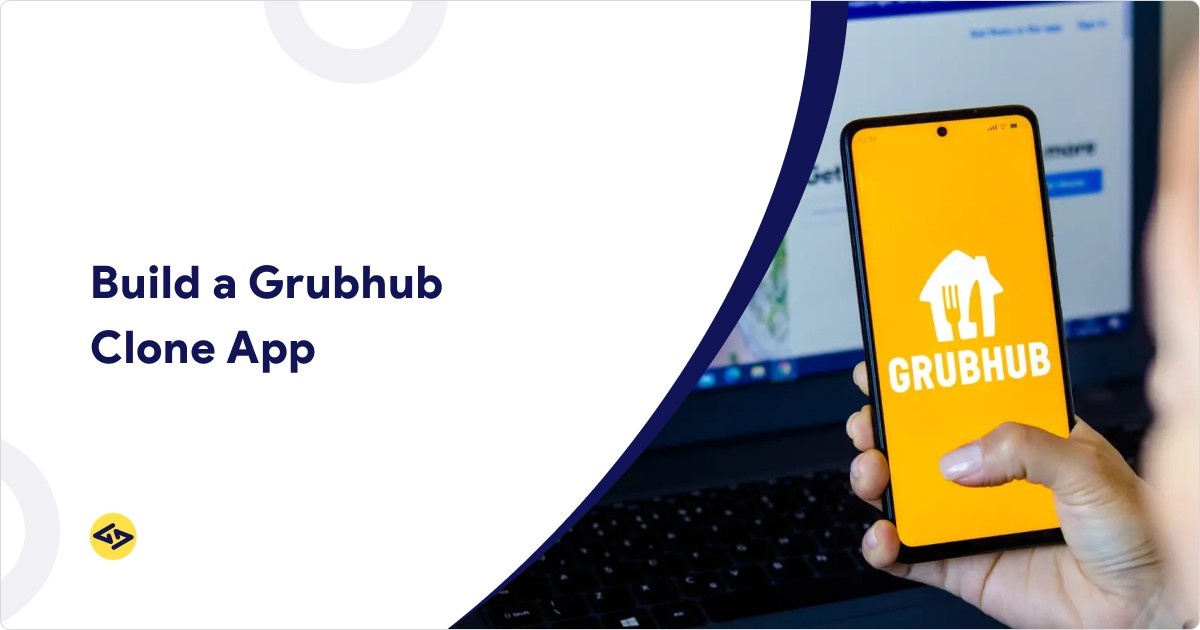
Grubhub is one of the leading online food delivery platforms in the U.S., connecting diners with local restaurants for convenient pickup or delivery. Founded in 2004, it allows users to browse menus, place orders, and pay directly through the app.
Over the years, it has become a major player in the foodtech space, known for its ease of use, wide restaurant network, and reliable delivery service.
U.S. Online Food Delivery Market: Opportunity for Your App
The U.S. online food delivery market is projected to reach over $430 billion by 2025, with meal delivery and grocery segments driving growth. This massive market demonstrates the demand for Grubhub-like apps, making it a lucrative opportunity for startups and entrepreneurs.
Want to explore the top competitors in the market? Read our Top 5 Food Delivery Apps in the USA for inspiration.
Essential Features for a Grubhub Clone App
To build a robust and successful Grubhub clone app, you must integrate essential features for three key user groups: customers, restaurants, and delivery agents. Additionally, an admin panel is crucial for overseeing operations.
Customer Features:
User Registration and Login: Easy sign-up through email, phone, or social media accounts.
Restaurant Listings: Categorize restaurants by cuisine, location, popularity, and user ratings.
Search and Filters: Allow users to search for restaurants or dishes and filter results by distance, rating, delivery time, etc.
Real-time Order Tracking: GPS integration for customers to track their orders in real-time, from food preparation to delivery.
Secure Payments: Integration with popular payment gateways (credit/debit cards, PayPal, mobile wallets) and the option for cash on delivery.
Reviews and Ratings: Customers can leave feedback on their dining and delivery experience, which improves app credibility.
Push Notifications: Inform customers of order status, special promotions, or restaurant offers.
Restaurant Features:
Restaurant Dashboard: Manage orders, track deliveries, and view customer feedback in real-time.
Menu Management: Easily update menu items, pricing, and availability through the dashboard.
Order Notifications: Restaurants receive instant alerts for incoming orders.
Order Management: Accept, reject, or modify orders based on restaurant capacity and timing.
Payment Management: Restaurants can track payments, view transaction history, and process payouts.
Promotions and Discounts: Create and manage restaurant-specific promotions to attract more users.
Delivery Agent Features:
Delivery Agent Profile: Profile setup, including personal details, vehicle information, and working hours.
Order Assignment: Receive nearby delivery requests and accept or decline them based on availability.
GPS Navigation: Route optimization and tracking through Google Maps or similar services for timely deliveries.
Earnings Overview: View daily, weekly, and monthly earnings and track payment history.
Delivery Confirmation: Secure methods to confirm delivery (e.g., OTP or digital signature).
Admin Panel Features:
Dashboard: A comprehensive overview of users, restaurants, orders, and revenue.
User Management: Manage profiles of customers, restaurants, and delivery agents.
Order Management: Monitor real-time orders, resolve disputes, and handle refunds.
Analytics: Generate detailed reports on app performance, user activity, and revenue trends.
Promotions and Discounts: Oversee platform-wide promotions and discounts.
Technology Stack for Building a Grubhub Clone App
The right technology stack ensures scalability, reliability, and security for your food delivery app. Here’s a recommended stack:
Frontend (Customer, Restaurant, Delivery Agent Apps):
Mobile: React Native or Flutter for cross-platform development (iOS and Android). Alternatively, Swift (for iOS) and Kotlin (for Android) can be used for native development.
Web: React.js or Angular for web-based dashboards and admin panels.
Backend:
Node.js or Ruby on Rails for server-side programming.
Express.js for handling API requests and managing database interactions.
Database:
MongoDB (NoSQL) or PostgreSQL (SQL) to store user, order, and restaurant data.
Cloud and Hosting:
AWS (Amazon Web Services) or Google Cloud for scalable cloud hosting solutions.
Firebase for real-time data synchronization, user authentication, and push notifications.
Payment Gateway:
Stripe, PayPal, or Braintree for secure online payments.
Geolocation Services:
Google Maps API or Mapbox for geolocation, real-time tracking, and navigation.
Push Notifications:
Firebase Cloud Messaging (FCM) for Android and Apple Push Notification Service (APNS) for iOS.
Step-by-Step Process for Building a Grubhub Clone App
Step 1: Conduct Market Research
Before starting development, understand the local market. Identify your target audience, analyze competitors, and assess the region’s restaurant density. This will help you fine-tune your app’s features and positioning.
Step 2: Define the Scope of Your App
Decide whether your app will cater to a specific cuisine, a type of restaurant, or focus on a particular region. You’ll also need to decide whether to build an app for Android, iOS, or both.
Step 3: Choose the Right Platform (iOS, Android, or Both)
Developing your app for both iOS and Android will ensure a broader reach. However, you can start with a Minimum Viable Product (MVP) on one platform to test your market.
Step 4: UI/UX Design
A smooth and intuitive user interface is crucial for user retention. Focus on a clean design, simple navigation, and clear call-to-action. Wireframe the app to map out the user journey and get feedback from potential users before starting development.
Step 5: Backend Development
Begin developing the backend by setting up servers, databases, and APIs. The backend will manage user data, orders, payments, and notifications.
Step 6: Third-Party Integration
Integrate essential third-party services like:
Payment Gateway: Stripe or PayPal for seamless payment processing.
Map Services: Google Maps for accurate order tracking and delivery routes.
Push Notifications: Firebase Cloud Messaging to keep users informed about order status, promotions, etc.
Step 7: Testing and QA
Testing is critical. Conduct rigorous testing on multiple devices and platforms to ensure a seamless user experience. Test the app for performance, security vulnerabilities, and bug fixes.
Step 8: Launch
Once testing is complete and the app is stable, launch it on both Google Play and the App Store. Ensure your app store listing is optimized with the right keywords and visuals to attract users.
Steps to survive the food delivery market
So, if you are wondering that during such a challenging and competitive phase- how will you survive the food delivery market- here is what I would like you to know.
Your food delivery app development company needs to be the best in the following points for helping you survive the online ordering market.
- Excellent Food delivery app UI
- Delivering the best User experience
- Food ordering app development with leading features
- Machine learning or AI features can add cherries, such as the live chatbot feature, voice search, etc.
- An admin panel dashboard for managing the business via web screen. A single-screen delivering the entire scenario of your business operations for making things easy and straightforward. It helps in running the company without any errors.
- Reduce a digital marketing strategy for helping your online food ordering brand get the required market reach and visibility. The digital market is a need of the hour in 2020; applying the marketing tactics to your online brand can aid in many ways.
Challenges and Solutions
Delivery Logistics:
One of the biggest challenges in the food delivery business is ensuring timely deliveries. Use AI-based route optimization to help delivery agents find the fastest and most efficient routes.
Restaurant Acquisition:
Convincing restaurants to join your platform can be difficult in the early stages. Offer low commissions or exclusive deals to attract restaurant partners.
Customer Retention:
Retaining customers requires consistent quality service. Implement a loyalty program where repeat customers earn discounts or rewards.
Operational Costs:
Managing delivery agents, customer support, and app maintenance can be expensive. Focus on efficiency, using automation wherever possible, to reduce operational costs.
Cost to Build a Grubhub Clone
The cost to build an app like Grubhub depends on features, platforms (iOS/Android), and development approach. Choosing a food delivery app development company with experience can save you time, ensure quality, and optimize costs.
Check out our detailed guide on how much it costs to build an app like Grubhub for a complete breakdown.
Why Launch a Grubhub Clone Now
With the U.S. online food delivery market growing rapidly, launching a Grubhub clone app is a prime opportunity to capture a share of this lucrative sector. By offering a seamless user experience, reliable delivery, and smart features, your app can attract loyal customers and generate consistent revenue.
Ready to start your journey? Contact our team to discuss your Grubhub clone app development and bring your food delivery startup to life.