TLDR:
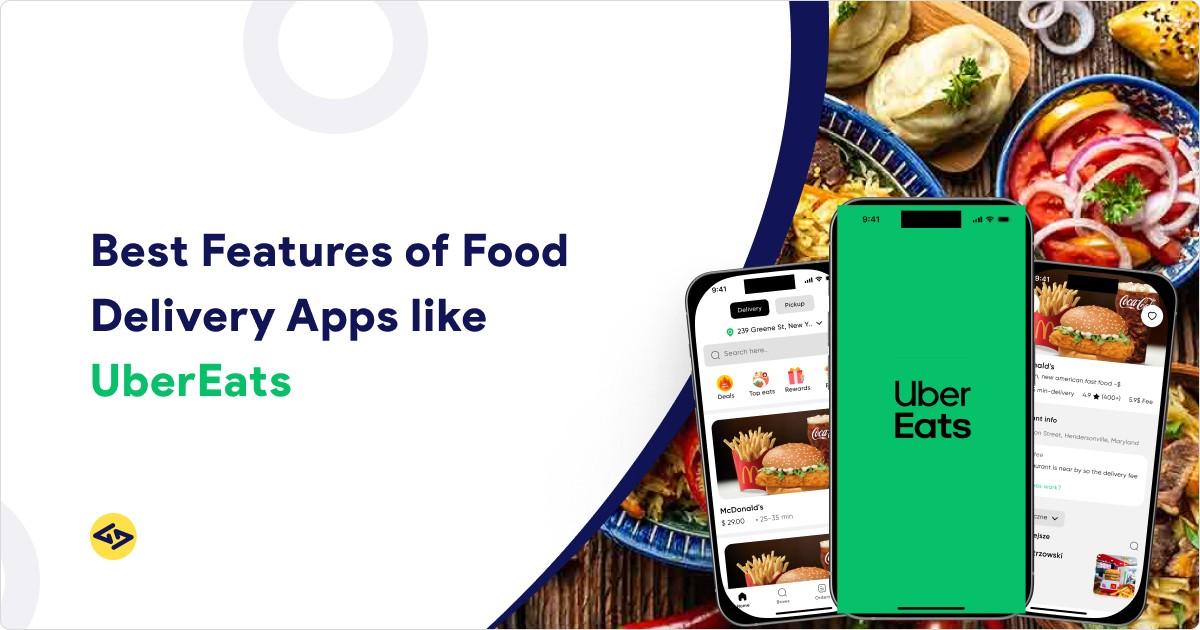
An Uber Eats-like app features include four connected panels: Customer App, Restaurant Panel, Driver App, and Admin Dashboard. Essential features include user registration, restaurant search, real-time order tracking, payment integration, menu management, driver dispatch, and centralized admin controls. Start with MVP features, then scale based on user feedback.
Introduction
You’ve seen UberEats. You want something similar. But copying a feature list from a random blog won’t cut it. Most guides dump 50+ features without telling you what actually matters for launch versus what can wait.
This guide is different. We’ll break down UberEats like app features by panel—Customer, Restaurant, Driver, and Admin. You’ll know exactly what to build for MVP, what to add later, and which features silently kill your business if you skip them.
Let’s build something that works.
Why You Need 4 Panels (Not Just “One App”)
Most people think UberEats is one app. It’s actually four products working together.
Customer App — Used by end users to browse, order, track, and pay.
Restaurant Panel — Used by restaurant owners and staff to manage menus and accept orders.
Driver App — Used by delivery partners to accept jobs, navigate, and complete deliveries.
Admin Dashboard — Used by your operations team to control everything.
Why this matters: If your restaurant panel is weak, restaurants can’t mark items out-of-stock. Customers order unavailable food. Orders get cancelled. Refunds pile up. Ratings tank.
Every panel affects the others. Build all four from day one—even if they’re basic.
Understanding the UberEats business model helps you see why each panel exists and how revenue flows between them.
Pro Tip: Many founders skip the admin panel for MVP. Don’t. Without it, you can’t resolve disputes, manage payouts, or spot fraud. You’ll be firefighting from day one.
Need help planning your architecture? Start with a food delivery app development consultation to map your panels correctly.
Customer App Features
This is what your users see. It needs to be fast, simple, and reliable.
MVP Features (Launch With These)
1. Easy Registration
Keep onboarding friction-free. Offer phone + OTP login (fastest for food apps), social login options like Google, Facebook, and Apple, plus guest checkout for first-time users who want to try before committing.
2. Restaurant Discovery
Users need to find food fast. Include search by restaurant name, dish, or cuisine type. Add filters for delivery time, ratings, price range, and dietary preferences. Show location-based results so nearby options appear first.
3. Menu Display
A confusing menu kills conversions. Show clear item photos and descriptions. Include modifiers for size, toppings, and extras. Add a special instructions field for custom requests. Display full price breakdown before checkout—no surprises.
Common Mistake: Hiding fees until the final screen. Users abandon carts when unexpected charges appear.
4. Smart Address Handling
Wrong addresses cause failed deliveries. Let users save multiple addresses. Include GPS pin drop with manual adjustment option. Add delivery notes field for gate codes and landmarks.
Common Mistake: Skipping the “adjust pin” feature. GPS isn’t perfect. Wrong pins = failed deliveries = refunds.
5. Order Tracking
This is the feature users care about most. Show real-time status updates: confirmed → preparing → picked up → arriving → delivered. Display live driver location on map. Provide accurate ETA that updates dynamically.
6. Payment Options
Don’t lose customers at checkout. Support credit and debit cards. Add digital wallets like Google Pay and Apple Pay. Include cash on delivery where your market expects it. Always show a promo code field.
Payment integration complexity impacts your overall budget. See our detailed cost breakdown for building an app like UberEats to plan accordingly.
7. Push Notifications
Keep users informed without them opening the app. Send notifications for order confirmed, driver assigned, out for delivery, and delivered. Don’t over-notify—stick to essential updates only.
Growth Features (Add After Launch)
Reorder & Favorites — Speeds up repeat orders. Users love one-tap reordering from history.
Ratings & Reviews — Builds trust and helps you improve quality. Let users rate both food and delivery.
In-App Support Chat — Reduces support tickets. Quick answers keep users happy.
Loyalty Points — Increases retention. Reward repeat customers.
Scheduled Orders — Captures advance bookings. Great for office lunches and planned events.
Want a seamless customer experience? Our design team specializes in food delivery interfaces.
Restaurant Panel Features
Your restaurants are your supply. If this panel is clunky, they’ll hate using it—and your operations will suffer.
MVP Features
1. Store Profile Setup
Restaurants need to present themselves well. Include business name, logo, and operating hours. Add cuisine categories for discoverability. Let them set their delivery radius.
2. Menu Management
This is where most problems start. Make adding, editing, and deleting items easy. Let restaurants set modifiers and prices clearly. Include instant out-of-stock marking—this alone prevents countless cancellations. Allow prep time adjustment per item.
3. Order Management
Speed matters here. Show incoming orders in real-time. Enable one-tap accept or reject. Let restaurants update status from Preparing to Ready. Include “Busy Mode” to pause incoming orders during rush hours.
Common Mistake: No throttling feature. During rush hours, restaurants get overwhelmed, prep times slip, customers get cold food, and you get bad reviews.
Growth Features
Analytics Dashboard — Shows peak hours, best sellers, and cancellation reasons. Data helps restaurants improve.
Promotions Manager — Lets restaurants create discounts, combos, and happy hour deals. Drives more orders.
Multi-Branch Support — Allows chains to manage multiple locations from one login.
POS Integration — Syncs with existing restaurant systems. Reduces manual work.
If you’re targeting a specific city or neighborhood first, a hyperlocal food delivery app approach simplifies your restaurant onboarding and zone management.
Driver App Features
Your drivers are your delivery engine. The app needs to be dead simple—they’re using it while moving.
MVP Features
1. Driver Onboarding
Keep it straightforward. Include profile creation with basic details. Add document upload for ID, license, and vehicle info. Show verification status so drivers know where they stand.
2. Availability Control
Drivers need one thing: a simple online/offline toggle. Make it big and obvious. No complicated scheduling for MVP.
3. Order Flow
Every tap matters when drivers are on the move. Show order details clearly—pickup location, items, drop-off address. Enable quick accept or decline. Provide one-tap navigation to restaurant, then one-tap navigation to customer.
4. Delivery Confirmation
Proof protects everyone. Let drivers mark orders as picked up. Then mark as delivered. Offer proof options like OTP code, photo, or signature based on your market needs.
Growth Features
Earnings Dashboard — Shows daily and weekly breakdown, tips, and bonuses. Drivers love transparency.
Order Batching — Assigns multiple deliveries on efficient routes. Improves earnings and your unit economics.
Heat Maps — Shows high-demand zones. Helps drivers position themselves smartly.
In-App Support — Gives drivers quick help without calling. Reduces friction.
Building cross-platform? Flutter development can speed up your driver app delivery.
Admin Dashboard Features
This is your control center. Without it, you’re flying blind.
MVP Features
1. User Management
You need visibility into everyone. View and search all customers, restaurants, and drivers. Approve or suspend accounts when needed. Verify driver documents before they go live.
2. Order Dashboard
Live operations view is non-negotiable. See all active orders in real-time. Enable manual intervention—reassign drivers, cancel orders, process refunds. Include order history with search.
3. Zone & Pricing Control
Define where you operate. Draw service areas on a map. Set delivery fees per zone. Configure minimum order amounts. Add surge pricing rules if your model needs it.
Your pricing model and commission structure should align with proven approaches. Our UberEats business model breakdown covers how surge pricing and delivery fees work together.
4. Basic Promotions
Marketing tools from day one. Create coupon codes easily. Set usage limits and expiry dates. Track redemptions to measure ROI.
Growth Features
Dispute Resolution — Handle complaints and refunds systematically. Document everything.
Advanced Analytics — Track revenue, growth trends, driver performance, and restaurant ratings.
Role-Based Access — Separate permissions for support, finance, and ops teams. Not everyone needs access to everything.
Audit Logs — Track who changed what and when. Essential for accountability.
Features That Reduce Cancellations (Your Secret Weapon)
Most blogs list features. Here’s what actually saves your business.
Accurate ETAs
Combine prep time + driver location + traffic data. When customers know what to expect, they wait patiently. Bad ETAs create anxiety, support calls, and cancellations.
Out-of-Stock Sync
Restaurants must update stock instantly. When items show as available but aren’t, customers order them. Then you cancel. Then they leave bad reviews. Real-time sync prevents this.
Substitution Flow
Don’t cancel the whole order for one missing item. Offer alternatives. Let customers approve substitutions. Partial orders beat cancelled orders.
Restaurant Throttling
Let busy kitchens pause incoming orders. A restaurant accepting 50 orders when they can handle 20 means 30 late deliveries. Throttling prevents this cascade.
Address Verification
When the GPS pin is far from the typed address, ask users to confirm. This simple prompt prevents failed drop-offs and the refunds that follow.
These aren’t glamorous features. But they’re the difference between a 15% cancellation rate and a 5% one.
MVP Checklist: What to Build First
Customer App MVP
- Registration (OTP + Social login)
- Restaurant search with filters
- Menu display with modifiers
- Cart and checkout
- Payment processing
- Real-time order tracking
- Push notifications
Restaurant Panel MVP
- Store profile setup
- Menu management with out-of-stock toggle
- Order accept/reject
- Order status updates
- Busy mode toggle
Driver App MVP
- Driver onboarding with document upload
- Online/offline toggle
- Order accept flow
- In-app navigation
- Delivery confirmation with proof
Admin Dashboard MVP
- User management
- Live order dashboard
- Zone and pricing settings
- Basic promotions
Add Later: Favorites, reviews, loyalty, analytics, batching, dispute workflows, role-based access.
Before building, make sure you’ve validated your market. Our guide on how to start a food delivery business covers market research, licensing, and go-to-market strategy.
Want to estimate your timeline? Read our guide on food delivery app development time.
Conclusion
Building UberEats like app features isn’t about copying a feature list. It’s about understanding why each feature exists and when you need it.
Three things to remember:
First, build all 4 panels from day one—even basic versions. Skipping the admin panel or restaurant panel will hurt you fast.
Second, start with MVP features only. Don’t overbuild before validating your market. You can always add loyalty programs and analytics later.
Third, prioritize “cancellation killer” features early. Accurate ETAs, out-of-stock sync, and throttling save more money than any fancy feature ever will.
Your next step: Map your MVP features using the checklist above. For a complete step-by-step walkthrough from idea to launch, read our guide to building a food delivery app. Then talk to our team to get a realistic timeline and quote.
Have questions about specific features? Reach out directly—we’re happy to help.
FAQs
What features does an app like UberEats need?
At minimum: user registration, restaurant search, menu display, cart, payments, real-time tracking, restaurant order management, driver dispatch, and an admin dashboard. These cover the basic order flow across all four panels.
How many apps do I need to build?
Four: Customer App, Restaurant Panel, Driver App, and Admin Dashboard. Each serves different users with different needs. You can’t run operations with just a customer app.
What’s the most important customer app feature?
Real-time order tracking. Users want to know exactly where their food is and when it arrives. Poor tracking creates anxious customers, support calls, and bad reviews.
What features reduce order cancellations?
Accurate ETAs, instant out-of-stock updates, substitution options, restaurant throttling during busy hours, and address pin verification. These prevent the most common cancellation triggers.
Should I build native or cross-platform?
For MVP, cross-platform frameworks like Flutter or React Native are faster and more cost-effective. You can optimize with native development later if needed. Learn about our mobile app development services.
How much does it cost to build these features?
Costs vary based on complexity, feature count, and team location. For a detailed breakdown, check our guide on food delivery app development costs.