Introduction
According to Grand View Research, the global ride-hailing market was valued at $55 billion in 2026 and is forecast to grow at an 18.6% CAGR through 2033. Yet for every app that makes the top chart, a dozen quietly fail — not because of a bad idea, but because of a bad technology choice.
If you’re planning on developing a taxi booking app, the single most consequential decision you will make is your tech stack. This guide is written for founders, product managers, and developers who want to understand what actually powers apps like Uber and Grab — and how to make smart, scalable choices from day one.
We’ll walk through the definitive taxi app tech stack for 2026, real-world lessons from the platforms that operate at scale, honest cost estimates, and the pitfalls that silently kill budgets. Whether you’re evaluating cab booking software options or scoping a build from scratch, this is your reference.
How a Taxi App Works: The 30-Second Architecture Overview
Before choosing technologies, you need to understand what a taxi app does under the hood. (Our dedicated guide on how a taxi app works covers this in full depth; here is the condensed version.)
A modern taxi platform has three user-facing clients riding on top of a shared backend:
- Passenger App — book, track, pay, and rate.
- Driver App — receive requests, navigate, manage earnings.
- Admin Panel — control pricing, monitor fleet, resolve disputes.
Every interaction depends on a real-time backend handling GPS polling (every 2–3 seconds per driver), ride matching, dynamic fare calculation, payment processing, and push notifications — simultaneously, at scale. That backend is where your technology choices matter most.
The Definitive Tech Stack for Taxi App Development (2026)
This section replaces the two-part breakdown from earlier drafts. What follows is a single, research-backed, opinionated recommendation — the best tech stack for a taxi app that balances time-to-market, operational simplicity, proven scalability, and cost. Each choice is explained by its engineering rationale, not just a label.
The Recommended Stack at a Glance
| Layer | Recommended Choice | Why It Wins |
| Mobile (Rider + Driver) | React Native (Expo) | One JS codebase ships iOS + Android. Native GPS, maps & push APIs are fully accessible. ~40% faster than maintaining two native codebases. |
| Backend API | Node.js + NestJS | Event-driven, non-blocking I/O is ideal for high-frequency GPS ingestion and ride-matching queues. NestJS adds structure and TypeScript type safety. |
| Real-Time Transport | Socket.io + Redis Pub/Sub | Sub-100ms driver location broadcast to the rider app. Redis fan-out handles thousands of concurrent rides without per-request DB hits. |
| Primary Database | PostgreSQL | ACID transactions for trips, payments, and user accounts. PostGIS extension supports geospatial queries natively. |
| Cache / Geo Index | Redis (GEOSEARCH) | GEOSEARCH command returns all available drivers within N km in microseconds. Non-negotiable for matching at volume. |
| Mapping & Routing | Google Maps (dev/MVP) → Mapbox (scale) | Google Maps for accuracy; migrate to Mapbox at ~500 daily drivers to reduce API costs by 40–60%. |
| Payments | Stripe / Razorpay | PCI-DSS Level 1. Idempotency keys built into the SDK. Webhook-driven reconciliation avoids stuck payment states. |
| Push Notifications | Firebase (FCM + APNs) | Single SDK covers both platforms. Free at any scale. Reliable delivery with built-in retry logic. |
| SMS / OTP / Masking | Twilio / Vonage | Number masking protects driver and rider privacy. OTP delivery with global carrier coverage. |
| Cloud Infrastructure | AWS (ECS Fargate → EKS) | Start with Fargate for zero-ops container hosting. Migrate to EKS (managed Kubernetes) at 50k+ rides/month when fine-grained scaling control is needed. |
| CI/CD | GitHub Actions | Free for open repos. YAML-based pipelines. Integrates with AWS and Expo EAS Build out of the box. |
| Monitoring | Grafana Cloud + Prometheus | Unified metrics, logs, and traces. Alerting on P95 latency and driver location lag without vendor lock-in. |
Taxi App Tech Stack (Built for Scale, Speed & Real-Time Performance)
Building a successful taxi app isn’t just about features — it’s about choosing the right technology that ensures real-time tracking, fast performance, and long-term scalability. Here’s a proven tech stack used to build reliable ride-hailing platforms:
Mobile App — React Native
To build apps for both Android and iOS efficiently, React Native is a practical choice.
- Single codebase for both platforms → faster development & lower cost
- Access to native features like GPS, background tracking, and push notifications
- Smooth integration with mapping tools like Google Maps and Mapbox
Why it matters:
You launch faster without compromising user experience.
Developer Insight:
Avoid starting with separate native apps (Swift + Kotlin) unless absolutely required — it significantly increases development and maintenance costs.
Backend — Node.js + NestJS
The backend handles bookings, user management, payments, and overall app logic.
- Manages thousands of ride requests simultaneously
- Structured architecture keeps the system scalable as your business grows
- Supports real-time communication with high efficiency
Why it matters:
Your app stays fast and stable even during peak usage.
Best Practice:
Move heavy tasks (like surge pricing or fraud detection) to background workers instead of slowing down your main system.
Real-Time System — Socket.io + Redis
Real-time tracking is the core of any taxi app.
- Instantly updates driver location to riders
- Ensures live ride tracking without delays
- Handles high volumes of updates efficiently
Why it matters:
Users get a seamless experience with accurate, real-time ride updates.
Developer Insight:
Avoid querying the database repeatedly for live locations — use Redis for faster performance and better scalability.
Database — PostgreSQL + Redis
A combination of reliability and speed:
- PostgreSQL → stores rides, payments, user data securely
- Redis → handles fast-changing data like live driver locations and sessions
Why it matters:
You get both data safety and high-speed performance.
Maps & Navigation — Google Maps → Mapbox
Maps power routing, distance calculation, and ETAs.
- Google Maps offers highly accurate global data (ideal for launch)
- Mapbox provides similar functionality at a lower cost as you scale
Why it matters:
You balance accuracy in early stages and cost optimization later.
Payments — Stripe / Razorpay
Secure and reliable payment integration is essential.
- Supports multiple payment methods
- Handles transactions, refunds, and payment tracking
- Uses webhook systems for accurate payment status updates
Why it matters:
Prevents payment errors and ensures a smooth user experience.
Cloud Infrastructure — AWS (Fargate → EKS)
Your app needs a strong and scalable hosting environment.
- Start with Fargate → no server management required
- Scale to Kubernetes (EKS) as your platform grows
- Supports auto-scaling based on demand
Why it matters:
You only pay for what you use while staying ready to scale.
Keep It Simple (Critical Advice)
One of the biggest mistakes in app development is overcomplicating the tech stack.
- Avoid adding unnecessary technologies early
- Every extra tool increases cost and maintenance effort
- Scale your architecture only when real demand requires it
Why it matters:
A simple, well-planned system is faster to build, easier to manage, and more cost-efficient.
What Apps for Booking Cabs Get Right — Lessons from the Leaders
The best apps for booking cabs share a pattern: they launched with a simple stack, validated demand in a single city, then invested in custom infrastructure only where a specific bottleneck appeared. Here is what the engineering record shows, with source links to the primary engineering documentation.
Uber — Evolved from Monolith to 2,200+ Microservices
Uber’s engineering blog documents the full arc of its architecture. The platform started as a monolith, migrated to microservices in 2014, then evolved further into DOMA (Domain-Oriented Microservice Architecture) to manage the complexity of 2,200+ independent services. According to Uber’s engineering team, the shift to Go for latency-sensitive services was driven by its native concurrency model, which outperformed the team’s earlier Python/Tornado services for high-throughput dispatch work.
→ Source: Uber Engineering Blog — The Uber Engineering Tech Stack
For geospatial matching, Uber open-sourced H3 — a hexagonal hierarchical spatial indexing library. As documented by Grokking the System Design, when a rider requests a trip, the system identifies the H3 cell at the pickup location, then retrieves all drivers in that cell and adjacent cells — reducing the candidate set from millions to hundreds before any distance calculation runs. Redis geospatial indexes serve a similar purpose for platforms that do not need H3’s multi-resolution hierarchy.
→ Source: Grokking the System Design — Uber System Design Deep Dive
Grab — Multi-Modal Super-App on Shared Infrastructure
Grab (Southeast Asia) extended a single ride-hailing backend into a super-app covering taxi, food, payments, and logistics — all running on shared microservices infrastructure. The key architectural lesson: they separated what changes per product (the UX and product logic) from what is shared (identity, payments, location, notifications). This is achievable from the start if you design your microservices boundaries around business domains rather than technical functions.
As an analysis on ByteByteGo notes, Uber’s internal docstore (built on MySQL and PostgreSQL with RocksDB) and big data stack (Kafka + Flink for streaming, Hudi for data pipelines) reflect years of accumulated scale decisions — not Day 1 choices. These are aspirational benchmarks, not starting templates.
→ Source: ByteByteGo — Uber Tech Stack Breakdown
Ola — Investing in Proprietary Mapping to Control Costs
Ola (India) built a proprietary mapping layer — Ola Maps — specifically to eliminate Google Maps API dependency at Indian scale, where tens of millions of daily trips make third-party map costs a material business expense. This is not a Day 1 decision; Ola made this investment after achieving sufficient scale to justify the engineering overhead. The lesson for new builders: use Google Maps or Mapbox to ship fast, but architect your location service as an abstraction layer so you can swap providers later without touching the rider or driver app.
What All of Them Share: The Sequence That Works
- Start with a simple, unified stack — one team, one codebase, one database.
- Instrument everything from day one — logs, metrics, and traces before you add features.
- Add infrastructure in response to measured bottlenecks — not in anticipation of hypothetical scale.
- Open-source what you build for community leverage — H3, Hudi, Cadence all started as internal Uber tools.
Copy the sequence, not the complexity.
Development Challenges and How to Solve Them
1. GPS Drift in Urban Environments
Fix: Use OS-native fused location (FusedLocationProvider on Android, CLLocationManager on iOS) — these already apply Kalman filtering internally. Supplement with map provider road-snapping (Google Maps Roads API) to snap coordinates to valid road segments before broadcasting. Do not build your own Kalman filter unless you have a very specific reason.
2. Real-Time Scalability Spikes
Fix: Decouple GPS ingestion from ride matching using Redis Streams or AWS SQS. The ingestion API acknowledges the location update immediately; a worker pool processes matching asynchronously. Auto-scale workers independently of the API layer using ECS Fargate or Kubernetes HPA. Size for 10× peak — traffic spikes during storms, stadium events, and public holidays are not edge cases.
3. Payment Failures and Reconciliation Drift
Fix: Enforce idempotency keys on every payment API call. Maintain a payment_events ledger in PostgreSQL — append-only, never update existing rows. Use webhooks (not synchronous API responses) as the source of truth for payment state transitions. Build a nightly reconciliation job that compares your ledger against the gateway’s settlement report.
4. Driver App Battery Drain
Fix: Implement adaptive polling: 1-second GPS updates during active rides, 10-second during idle. Use WorkManager (Android) and Background App Refresh (iOS) instead of holding permanent foreground services. Foreground services draw 15–25% more battery per hour. This directly affects driver retention in supply-constrained markets.
5. App Store Compliance
Fix: Request location permissions contextually (on first booking action, not on app launch). Include a clear NSLocationAlwaysAndWhenInUseUsageDescription in Info.plist. For Android, follow Google Play’s Ride & Transportation policy for driver apps. Rejection and removal happen fastest to apps that request always-on location without a clear user-facing justification.
Taxi App Development Cost — What to Budget in 2026
The taxi app cost depends on scope, feature set, and team location. See our detailed post on Uber-like app cost for a full breakdown. Indicative ranges:
- MVP (single city, core booking + tracking + payment): $20,000 – $45,000
- Mid-tier (multi-city, surge pricing, driver wallet, analytics): $50,000 – $90,000
- Enterprise (fleet management, white-label, ML-powered dispatch): $100,000+
Ongoing infrastructure costs for a single-city MVP typically run $800–$3,000/month (cloud hosting, Maps API, SMS, payment gateway fees). Google Maps is frequently the largest variable cost item — monitor your API usage dashboard weekly from launch.
How iCoderz Solutions Can Help
As a full-stack taxi booking app development company, iCoderz Solutions has designed and delivered ride-hailing platforms across multiple markets. Our approach: ship an MVP that works, instrument it in production, and scale what the data says matters.
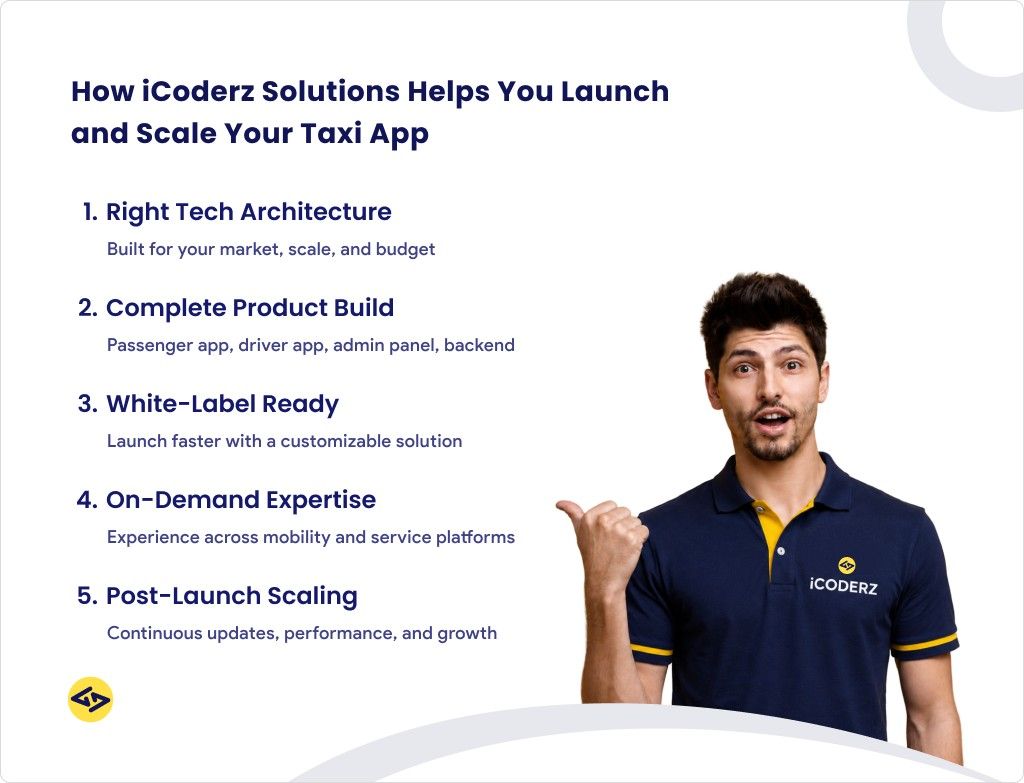
- Architecture review — we recommend the right tech stack for a taxi app based on your market, scale, and budget, not on what is fashionable.
- End-to-end development — passenger app, driver app, admin panel, and backend API built as a unified system by one accountable team.
- White-label taxi software — launch faster with our proven cab booking software base, fully customisable to your brand.
- On-demand expertise — our team has delivered on demand app development projects across logistics, healthcare, and mobility.
- Post-launch DevOps & scaling — monitoring, incident response, and feature iteration after go-live.

Frequently Asked Questions
Q: What is the best tech stack for a taxi app in 2026?
React Native for mobile, Node.js + NestJS for the backend, PostgreSQL + Redis for data, Google Maps or Mapbox for location, Stripe or Razorpay for payments, and AWS for infrastructure. This combination is proven at scale, well-documented, and keeps operational complexity manageable for a team of 4–8 developers.
Q: How long does taxi app development take?
An MVP with core booking, tracking, and payment features typically takes 10–16 weeks with a dedicated team of 4–6 developers. Full-featured platforms with surge pricing, driver analytics, and a custom admin panel take 6–9 months.
Q: How much does it cost to build a taxi app?
Costs range from $20,000 for a single-city MVP to $100,000+ for an enterprise platform. See our Uber-like app cost breakdown for a detailed estimate with line-item cost drivers.
Q: Should I use native or cross-platform development?
For most taxi app projects, React Native delivers 90% of native performance at roughly 60% of the cost. Go native only if you have separate iOS and Android teams already, or if your product requires deep hardware integration that React Native cannot access.
Q: What is the difference between building a taxi app and using cab booking software?
Custom development gives you full control over the product, data, and architecture. Cab booking software (white-label) is faster to launch but limits differentiation. iCoderz offers both: white-label for speed-to-market and custom builds for founders who need a unique product.
Q: Why is Redis essential for a taxi app?
Redis stores active driver positions in a geospatial index that supports sub-millisecond proximity queries. Without it, every ride request triggers a geospatial SQL query against your main database — which collapses under 200+ concurrent requests at peak hours.