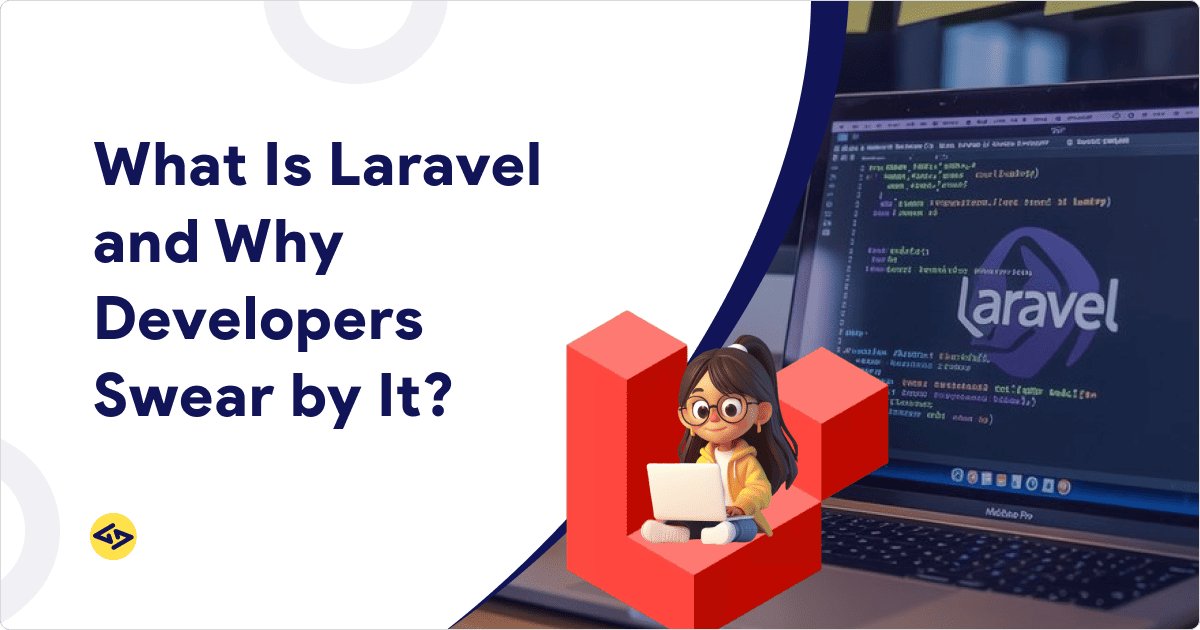
If your development agency suggested Laravel for your project and you typed “what is Laravel” into Google, this is the honest answer. Get a clear picture of what the framework does, what it’s genuinely good at, and where it isn’t the right call.
Laravel is an open-source PHP framework built around the MVC (Model-View-Controller) architecture. It was created by Taylor Otwell in 2011. It handles the infrastructure every web application needs — authentication, routing, database management, caching, queues, API handling — so developers can focus on building what’s unique to your business instead of reinventing the same foundations on every project.
That’s the short version. Here’s everything else worth knowing before you commit to it.
What Laravel Actually Gives You (and What Those Features Mean in Practice)
Most Laravel articles list features. This section explains what those features mean for a real project.
MVC Architecture separates your application into three distinct layers: data logic, business logic, and the user interface. In practice, this means a developer joining your project 18 months in can understand the codebase without a week of handholding. It also means changing your database structure or business rules doesn’t cascade unpredictably across the entire application.
Eloquent ORM Laravel’s database layer lets developers interact with your database using PHP rather than raw SQL. The result: fewer database-related bugs, faster feature development, and cleaner code that’s easier to audit and maintain.
Built-in Authentication and Authorization Out of the box, Laravel ships with login, registration, password resets, email verification, and role-based access control. For a SaaS platform or enterprise portal, this alone saves several weeks of development compared to building from scratch.
For simpler authentication flows, Laravel Breeze provides a minimal starter kit — clean, fast, and easy to customise. For more complete authentication scaffolding including two-factor authentication and API token management, Laravel Sanctum handles token-based auth for SPAs and mobile apps, while Laravel Jetstream covers full-stack team management features. Each serves a different scope; your developers should be choosing between them based on your actual requirements, not defaulting to the most complex option.
Security Defaults CSRF protection, SQL injection prevention, and XSS safeguards are built into the framework’s core — not optional add-ons. For applications handling user data, payment information, or sensitive business records, this baseline matters.
Queue System and Job Scheduling Background tasks — sending emails, processing file uploads, generating reports — run asynchronously through Laravel’s queue system. Users don’t wait for time-consuming operations; the application stays responsive under load.
Artisan CLI A command-line tool that automates repetitive development tasks: generating code, running database migrations, seeding test environments. This is one of the genuine time-savers that keeps Laravel development costs predictable on real projects.
Laravel Livewire enables developers to build dynamic interfaces without requiring a separate JavaScript framework like React or Vue.
Laravel also provides strong local development tools that help development teams build and test applications faster, improving overall development efficiency.
Laravel Filament A full-featured admin panel builder for Laravel. If your application needs an internal dashboard, content management interface, or admin backend, Filament generates it from your existing Eloquent models. It’s worth knowing about if you’re scoping a project that includes an admin-facing component — it can significantly reduce that part of the build.
Evaluating Laravel for an upcoming project? Talk to our team

What’s New in Laravel 13 (Released March 2026)
Laravel follows an annual release cadence. Laravel 13 was released on March 17, 2026, announced by Taylor Otwell at Laracon EU 2026, with zero breaking changes — the smoothest upgrade in the framework’s history.
For businesses evaluating Laravel in 2026, three additions are directly relevant:
Laravel AI SDK — Now Stable Laravel 13’s headline feature is the new Laravel AI SDK, which gives Laravel first-party abstractions for text generation, embeddings, agents, audio, images, and vector stores. In practical terms: if your product roadmap includes AI-assisted features — search, summarisation, recommendations, agent workflows — these can now be built natively inside a Laravel application without stitching together third-party packages. This is what “what is laravel ai sdk” returns in search, and it’s a legitimate new capability, not marketing language.
Native PHP Attributes Laravel 13 introduces around 15 new options where you can use PHP attributes instead of older syntax — all optional, fully backward compatible.For development teams, this means cleaner, more readable code with less boilerplate. For businesses, it means lower maintenance cost over time.
Passkey Authentication Laravel 13 integrates Passkeys into starter kits and the underlying Laravel Fortify. For applications where user security is a priority, passwordless authentication is now a first-class option rather than a custom implementation.
Support Window Laravel 13 requires PHP 8.3 as the minimum and follows Laravel’s standard support cycle with bug fixes through Q3 2027 and security updates through Q1 2028. If you’re running an older Laravel application on PHP 8.2, this is the signal to schedule an infrastructure review.
For the full technical breakdown and upgrade steps, see our Laravel 13 release guide.
The Honest Framework Comparison
|
Laravel |
Symfony |
CodeIgniter |
WordPress |
|
|
Best for |
Custom apps, SaaS, APIs, eCommerce |
Complex enterprise, configurable architecture |
Lightweight utilities |
Content-driven sites |
|
Built-in features |
Comprehensive |
Modular, configure yourself |
Minimal |
Plugin-dependent |
|
Learning curve |
Moderate |
Steep |
Low |
Very low |
|
Community |
Largest PHP framework |
Strong, enterprise-focused |
Smaller, declining |
Enormous |
|
AI-native tooling |
Yes (Laravel 13) |
No first-party |
No |
No |
|
Where it loses |
Simple marketing sites, pure real-time apps |
Projects that don’t need that configurability |
When you need scale or built-in tooling |
Custom business logic |
Laravel vs Symfony: Symfony is more configurable but requires more architectural decisions upfront. Laravel makes sensible decisions for you, which speeds up development significantly for most business applications. Symfony wins when you have a large enterprise team that needs to control every layer of the stack.
Laravel vs CodeIgniter: CodeIgniter is lighter and faster to learn, but it lacks the built-in tooling that modern applications require — authentication, queues, testing infrastructure, Eloquent ORM. You end up building or sourcing what Laravel ships with out of the box.
Laravel vs WordPress: WordPress wins for content-heavy sites where non-technical editors need to manage content daily. It loses for custom business logic — anything beyond standard content publishing is fighting the platform rather than working with it.
The comparison isn’t about which framework is technically superior in the abstract. It’s about which fits your project type. Which leads directly to the next section.
When Laravel Is the Right Choice
Laravel performs best in these scenarios:
Custom SaaS platforms where you need multi-tenancy, subscription billing, user roles, and API integrations. Laravel’s architecture and ecosystem make it particularly well suited for SaaS platforms. Laravel’s tooling covers all of these without unstable third-party dependencies.
eCommerce applications with complex requirements — custom checkout flows, inventory logic, multi-currency support, or integrations with ERP or CRM systems that off-the-shelf platforms can’t handle cleanly. For standard retail, a hosted eCommerce platform may be more appropriate; for complex B2B commerce, Laravel gives you the control you need.
Enterprise portals and internal tools where role-based access, audit logging, and integration with existing business systems matter more than time-to-launch. Laravel Filament makes the admin layer of these applications significantly faster to build.
B2B web applications where the business logic is genuinely complex, the user base is defined, and maintainability over 3–5 years is a real concern.
API backends serving mobile apps — Laravel Sanctum handles token authentication cleanly, and Laravel’s structured routing makes RESTful API design straightforward to build, document, and secure. See our web application development services if this is your primary requirement.
When Laravel Is Not the Right Choice
This is the section most vendor articles skip.
Simple marketing or brochure websites. If your site is primarily content — company pages, blog, contact form — WordPress or a headless CMS will give you faster time-to-launch, easier content management, and lower ongoing cost. A custom Laravel build is overengineering for this use case.
Pure real-time applications. Chat platforms, live bidding systems, or multiplayer applications where real-time is the core feature are better served by Node.js. Laravel can handle real-time functionality through Laravel Reverb and Echo, but it’s not the optimal foundation when sub-millisecond persistent connections are the primary requirement.
Small projects with a hard budget constraint and a fixed, limited feature set. If the application is simple and unlikely to grow significantly, the overhead of Laravel’s full ecosystem is more than you need.
If you’re not sure which category your project falls into, that’s a scoping question worth answering before you sign a development contract. Our Laravel development team runs discovery sessions for exactly this reason — and the honest answer is sometimes “you don’t need Laravel for this.”
Why Businesses Choose Laravel for Long-Term Projects
When the project does fit Laravel, the business case is straightforward. For a broader perspective on Laravel’s advantages across different types of web applications, see our detailed article on why businesses choose Laravel for web development.
Lower total cost of ownership. Laravel’s clean architecture means future developers can maintain and extend the codebase without the “rewrite it from scratch” conversations that haunt poorly structured PHP applications. The initial build cost is slightly higher than lightweight alternatives; the 3-year maintenance cost is typically lower.
Reduced vendor lock-in risk. Laravel is the most widely used PHP framework, which means finding qualified developers to maintain or extend your application is not dependent on the original team’s proprietary patterns. This matters when you’re evaluating long-term risk.
Faster feature iteration. Pre-built tooling means Laravel developers spend more time on what’s unique to your business and less time writing infrastructure every web application needs.
AI-readiness as a default. With Laravel 13’s stable AI SDK, applications built today have a clear path to incorporating AI-assisted features — without a framework migration when your product roadmap requires it.
SaaS development built-in. If you’re building a multi-tenant SaaS product, Laravel’s tooling around subscriptions, user roles, API versioning, and background processing reduces the time-to-MVP significantly compared to assembling these capabilities from scratch. See our SaaS development services for how we scope these engagements.
What to Look for When You Hire Laravel Developers
The framework choice matters less than the team building on it. A few things worth validating:
Ask to see how they use Laravel’s native features. Specifically: do they use service containers, Eloquent relationships, policy-based authorization, and form request validation — or do they write custom code for things the framework already solves? Reinventing the wheel inside Laravel is a common sign of developers who learned PHP first and Laravel as an afterthought.
Ask about testing. Laravel has excellent built-in testing infrastructure via PHPUnit and Pest. Teams that don’t write tests are building technical debt into your product from day one. This is non-negotiable on any project with a meaningful lifespan.
Ask about deployment and monitoring. Laravel projects should be deployed with zero-downtime tooling and should have logging and monitoring in place from launch — not added later when something breaks in production.
Understand the engagement model. Offshore Laravel development can reduce cost significantly, if you’re evaluating remote teams, our guide on how to hire offshore Laravel developers successfully explains what to look for before choosing a development partner. The right pricing model (hourly, fixed, or dedicated team) depends on how well-defined your requirements are at the start of the project. Fixed pricing works when scope is clear; time-and-materials works when it isn’t.
If your requirements may evolve during development, a dedicated laravel development team model is often the most flexible engagement option.
FAQ on Laravel
Is Laravel still relevant in 2026? Yes. Laravel 13 was released in March 2026 with stable AI SDK support, native PHP Attributes, and Passkey authentication. Its position as the most used PHP framework has strengthened, not declined, over the past several years. The tooling ecosystem — Livewire, Filament, Reverb, Sanctum, Sail, Herd — is more comprehensive now than at any previous point in the framework’s history.
What is the difference between Laravel Breeze, Sanctum, and Jetstream? They serve different scopes of authentication. Breeze is a minimal starter kit for simple login/registration flows. Sanctum handles token-based authentication for SPAs and mobile API clients. Jetstream is a full-stack starter kit with team management, two-factor auth, and profile management built in. Most projects start with Breeze or Sanctum; Jetstream is for applications where those features are core requirements from day one.
What is Laravel Livewire and do I need it? Livewire lets you build reactive, dynamic UI components in PHP without writing a separate JavaScript frontend. If your application needs interactive elements — real-time search, dynamic forms, live updates — but doesn’t justify the overhead of a full React or Vue frontend, Livewire is worth evaluating. It’s not required for every Laravel project; it’s the right tool when interactivity needs are moderate and your team is primarily backend-focused.
How long does a typical Laravel project take to build? A basic application with authentication, CRUD operations, and standard integrations typically takes 3–6 weeks. SaaS platforms or enterprise portals with complex requirements usually fall in the 2–4 month range. Timeline accuracy depends almost entirely on how well-defined requirements are before development starts — vague specs produce unpredictable timelines regardless of the framework.
Can Laravel handle high-traffic applications? Yes, with proper architecture. Laravel itself is not the bottleneck — database design, caching strategy (Laravel supports Redis natively), and server configuration are what determine performance at scale. The right infrastructure matters more than the framework choice. Applications serving hundreds of millions of monthly requests have been built on Laravel.
What does Laravel development cost? Cost varies by project complexity, team location, and engagement model. For a detailed breakdown of what drives cost and how to scope accurately, see our Laravel development cost guide. The most useful framing is total cost of ownership over 2–3 years, not just the initial build figure.