
You landed on Webflow’s pricing page, felt confused, and closed the tab. We’ve all been there.
The platform has two separate billing systems, multiple plan tiers, add-ons, per-seat fees, and a free plan that runs out faster than expected. It’s genuinely confusing — and most guides don’t make it easier.
This guide does. We break down every Webflow plan, every real cost, and every decision in plain language. No upsells, no fluff. Just answers.
Why Webflow Pricing Confuses Everyone (And How to Think About It)
Most people land on Webflow’s pricing page expecting one subscription. What they find instead is two completely separate billing systems that serve different purposes.
Here’s the key distinction:
- Site Plans = your live website’s hosting. One plan per published site.
- Workspace Plans = your design environment. Controls team collaboration, staging sites, and code export.
If you’re a solo business owner launching one website for yourself, you almost certainly only need a Site Plan. The free Starter Workspace is enough to build and manage a single project.
If you’re an agency, freelancer, or in-house team managing multiple projects, you’ll likely need both — and that’s where the costs stack up faster than expected. Hire experienced webflow developers from iCoderz to learn more.
Webflow Monthly vs. Annual Billing — A Decision Worth Making Early
Every Webflow plan can be paid monthly or annually. Annual billing saves you 20–25% on Site Plans, up to 30% on eCommerce plans, and up to 32% on Workspace plans. The CMS plan costs $29/month on a monthly subscription — but drops to $23/month when billed annually. That’s $72 saved per year on just one plan.
| 💡 Pro tip: Annual billing
If you’re committed to Webflow for the long term, pay annually from day one. The savings compound quickly across multiple sites or seats. You can always change plans — Webflow prorates unused time and applies it to your next plan. |
What Changed in 2026
Webflow’s core plan prices have held steady, but the platform is moving toward a more usage-based model. Bandwidth, CMS item limits, and a growing suite of optional add-ons (Localization, Optimize, Analyze) mean total costs are quietly rising for many users. One important heads-up: the legacy Editor is being retired on August 4, 2026. If your editors currently update content through the old Editor interface, your team will need to adapt to Webflow’s updated CMS editing experience.
2. Webflow Site Plans — For Every Type of Website
A Site Plan covers hosting, CMS, bandwidth, and your custom domain. Every live website needs one. Here’s the full 2026 breakdown:
| Plan | Annual Price | Monthly Price | Pages | CMS Items | Bandwidth | Best For |
| Starter (Free) | $0 | $0 | 2 pages | 50 items | 1 GB | Testing & learning |
| Basic | $14/mo | $18/mo | 150 pages | None | 10 GB | Static sites, landing pages |
| CMS | $23/mo | $29/mo | 150 pages | 2,000 items | 50 GB | Blogs, content sites |
| Business | $39–$1,049/mo* | $49+/mo* | 300 pages | 10,000 items* | 2.5 TB* | High-traffic & large sites |
| Enterprise | Custom | Custom | Custom | Custom | Custom | Large orgs, SLAs, SSO |
* Business plan is modular. The $39/month entry tier includes 10,000 CMS items and 2.5 TB bandwidth. Higher CMS item tiers (15,000 / 20,000) cost more — up to $1,049/month. Bandwidth decreases as CMS capacity increases.
Starter — Free
The free plan gives you a Webflow subdomain (yoursite.webflow.io), 2 pages, 50 CMS items, and 1 GB bandwidth. Great for experimenting and learning the platform. You can’t connect a custom domain or accept form submissions.
Basic — $14/month (annual)
For simple, static websites with no blog or dynamic content. Supports up to 150 pages, 10 GB bandwidth, SSL, CDN, and a custom domain. No CMS means no blog posts or collection pages. Good for: brochure sites and landing pages that rarely change.
CMS — $23/month (annual)
The most popular plan for business websites. Unlocks Webflow’s CMS with up to 2,000 items, dynamic pages, site search, and editor access for content teammates. Most small-to-medium businesses start here and never need to upgrade.
Business — $39/month entry (annual)
The Business plan is modular. The base tier ($39/month) includes 10,000 CMS items and 2.5 TB bandwidth — a significant jump from CMS. Higher tiers add more CMS capacity (15,000 or 20,000 items) at higher prices, up to $1,049/month. Important: bandwidth actually decreases at higher tiers, because you’re paying for CMS capacity, not bandwidth. Start at $39 unless you genuinely need 15,000+ CMS items.
Enterprise — Custom
Tailored contracts for organizations needing SSO, custom SLAs, advanced security compliance, dedicated support, and custom billing. Pricing is negotiated directly with Webflow’s sales team.
Webflow eCommerce Plans — For Online Stores
Want to sell products on your Webflow site? eCommerce plans layer online store functionality on top of standard hosting. For a deeper look at what’s possible, see our guide on Webflow for eCommerce.
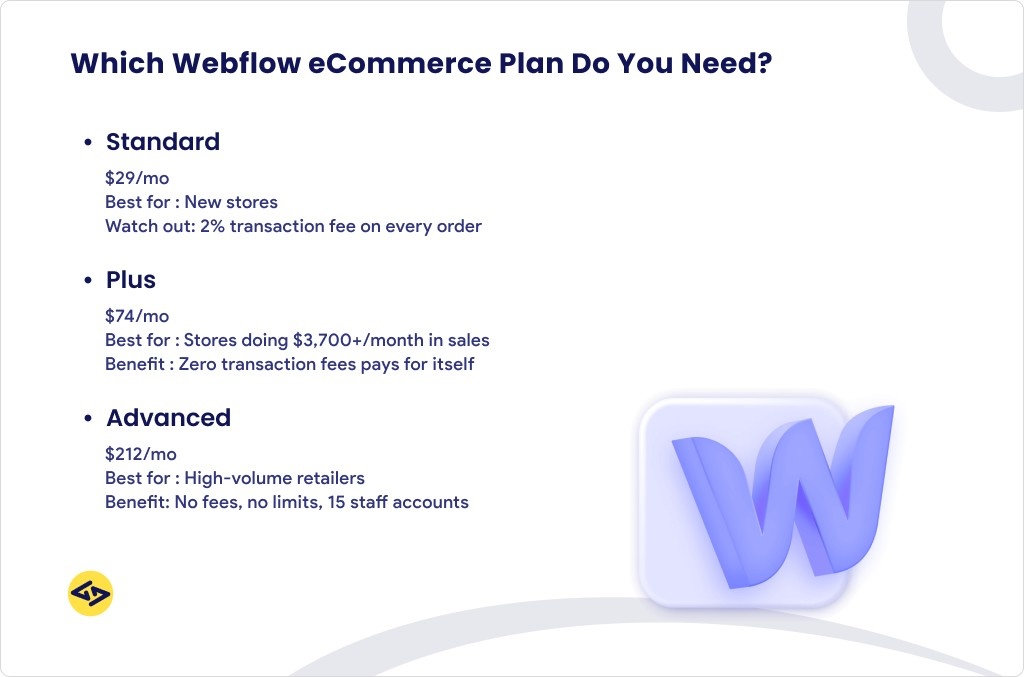
| Plan | Annual Price | Products | Transaction Fee | Staff Accounts | Best For |
| Standard | $29/mo | 500 items | 2% per order | 3 | New stores, low volume |
| Plus | $74/mo | 5,000 items | 0% | 10 | Growing stores, $3,700+/mo |
| Advanced | $212/mo | 15,000 items | 0% | 15 | High-volume retailers |
Standard — $29/month
Good entry point for new stores. Includes custom checkout, product management, and Stripe/PayPal integration. The 2% Webflow transaction fee is the main caveat — on top of Stripe’s own processing fee. For a store doing $5,000/month in sales, that’s an extra $100/month just in Webflow fees.
Plus — $74/month
No transaction fees. That single change is the reason most growing stores upgrade. At roughly $3,700/month in sales, the 2% Standard fee equals the Plus plan cost — making Plus the smarter financial choice at that point. You also get 10x more product capacity and 10 staff accounts.
Advanced — $212/month
For established, high-volume stores. No product cap ceiling, no transaction fees, 15 staff accounts, and no limit on annual sales volume. The price is significant, but for stores processing serious volume, the fee savings alone can justify it.
| 🛒 Standard vs Plus — the math that matters
If your store does $3,700+/month in sales, upgrading from Standard to Plus eliminates the 2% fee. At that volume, Plus pays for itself — and gives you 10x more product capacity as a bonus. |
Webflow Workspace Plans — For Teams and Agencies
Workspace Plans control how you build, not what you host. They’re billed separately from Site Plans and manage team collaboration, staging sites, code export permissions, and client access.
Webflow offers two tracks: In-House (for company teams) and Freelancer/Agency (for service providers).
In-House Workspace Plans
| Plan | Annual Price | Staging Sites | Key Features |
| Starter | Free | 2 sites | 1 user, basic staging |
| Core | $19/mo per seat | 10 sites | Code export, custom code, up to 3 members |
| Growth | $49/mo per seat | Unlimited | Unlimited members, advanced roles, publishing permissions |
| Enterprise | Custom | Unlimited | SSO, audit logs, priority support |
Freelancer & Agency Workspace Plans
| Plan | Annual Price | Staging Sites | Key Features |
| Freelancer | $16/mo per seat | 10 sites | Client workspaces, white labeling, code export |
| Agency | $35/mo per seat | Unlimited | Site transfers, shared libraries, client billing, full permissions |
| Enterprise | Custom | Unlimited | 10 guest teams, SSO, audit logs, custom integrations |
For agencies: the Agency Workspace plan ($35/seat/month, annual) is typically the right call. Unlimited staging sites, client billing, and white-labeling make it purpose-built for client work. Our team at iCoderz runs white-label Webflow development on this model — it keeps client costs transparent and handoffs clean.

Hidden Costs to Know Before You Commit
Custom Domain
Not included in any plan. A .com domain runs $10–$20/year from registrars like Namecheap, Cloudflare, or Google Domains. Factor this into your Year 1 budget.
Bandwidth Overages
Webflow gives you one month of automatic “surge protection” if you exceed your bandwidth limit. Exceed it a second consecutive month and your site is auto-upgraded to the next tier. For sites with unpredictable traffic spikes, plan for the Business plan from the start.
CMS Item Limits
The CMS plan’s 2,000-item cap fills up faster than most people expect — especially for job boards, directories, or resource libraries. Map out your content architecture before committing to a plan.
Paid Add-Ons (Optional but Easy to Accumulate)
- Localization Essential: $9/month per locale — up to 3 locales, machine translation, basic SEO localization
- Localization Advanced: $29/month per locale — up to 10 locales, full asset localization
- Optimize: Starting at $299/month — A/B testing and AI personalization (high-traffic sites only)
- Analyze: $9/month — privacy-friendly, cookieless analytics built into your Webflow dashboard
- Webflow Cloud: Usage-based pricing for serverless app hosting (bandwidth + requests + compute)
Third-Party Tools
Webflow doesn’t include email marketing, CRM, live chat, memberships, or advanced filtering. You’ll likely pay for tools like Mailchimp, HubSpot, Memberstack, or Jetboost. Budget $30–$300+/month depending on your stack.
| ⚠️ Most users skip add-ons early — and should
Localization, Optimize, and Analyze are powerful, but none are essential at launch. Start lean. You can always add them later when your site’s traffic and revenue justify the extra spend. |
How to Reduce Your Webflow Bill — 5 Practical Tips
Webflow is worth what you pay for it. But there’s no reason to overpay.
- Pay annually. 20–25% off Site Plans, up to 32% off Workspace plans. If you know you’re committed, pay once and save.
- Don’t overbuy seats. Only add paid seats for people who genuinely need design or admin access. Viewers and commenters collaborate for free.
- Start on CMS, not Business. Most sites never exceed 2,000 CMS items. Start on CMS ($23/mo) and upgrade only when the numbers tell you to.
- Skip unnecessary add-ons early. Optimize ($299/mo) only makes financial sense at 50,000+ monthly visitors. Google Analytics 4 is free and more powerful than Webflow Analyze for most sites.
- Ask about discounts. Webflow offers a 50% discount on Basic, CMS, and Business Site Plans for eligible nonprofits (renewable annually). Students can apply for a free annual CMS plan. These aren’t advertised heavily — contact Webflow support directly.
Webflow vs. Competitors — Honest Total Cost Comparison
Webflow vs. WordPress
WordPress looks cheaper on the surface. It isn’t, once you add everything up.
| Cost Factor | Webflow CMS ($23/mo) | WordPress (self-hosted) |
| Hosting | Included | $5–$30/mo (separate) |
| SSL, CDN, security | Included | $10–$50/mo (plugins) |
| CMS & editing | Included | $0–$100/mo (theme + builder) |
| Maintenance | Zero | $100–$300/mo (or your time) |
| Year 1 total (site only) | ~$276–$348 | ~$400–$1,500+ |
Webflow’s advantage is maintenance freedom. No plugin updates, no security patches, no server management. For a marketing team that needs to move fast, that time savings alone often exceeds the price difference.
Webflow vs. Squarespace
Squarespace is simpler to start with and cheaper at entry level ($16/month for Personal). But it trades design freedom for simplicity. Webflow gives you pixel-level control, clean production code, and a far more capable CMS — but requires more to learn. For brands where design is a competitive advantage, Webflow wins. For a simple blog or portfolio, Squarespace is easier.
Explore More: Webflow vs Wix vs Sqaurespace
Webflow eCommerce vs. Shopify
Shopify is purpose-built for selling at scale. Its app ecosystem, checkout optimization, and inventory management are deeper than Webflow’s. Webflow eCommerce wins on design — your store can look exactly how you envision it. Shopify Basic starts at $39/month and also has transaction fees unless you use Shopify Payments. For design-forward stores with a focused catalog, Webflow eCommerce competes well. For high-SKU retailers with complex operations, Shopify is the stronger foundation.
Which Webflow Plan Is Right for You?
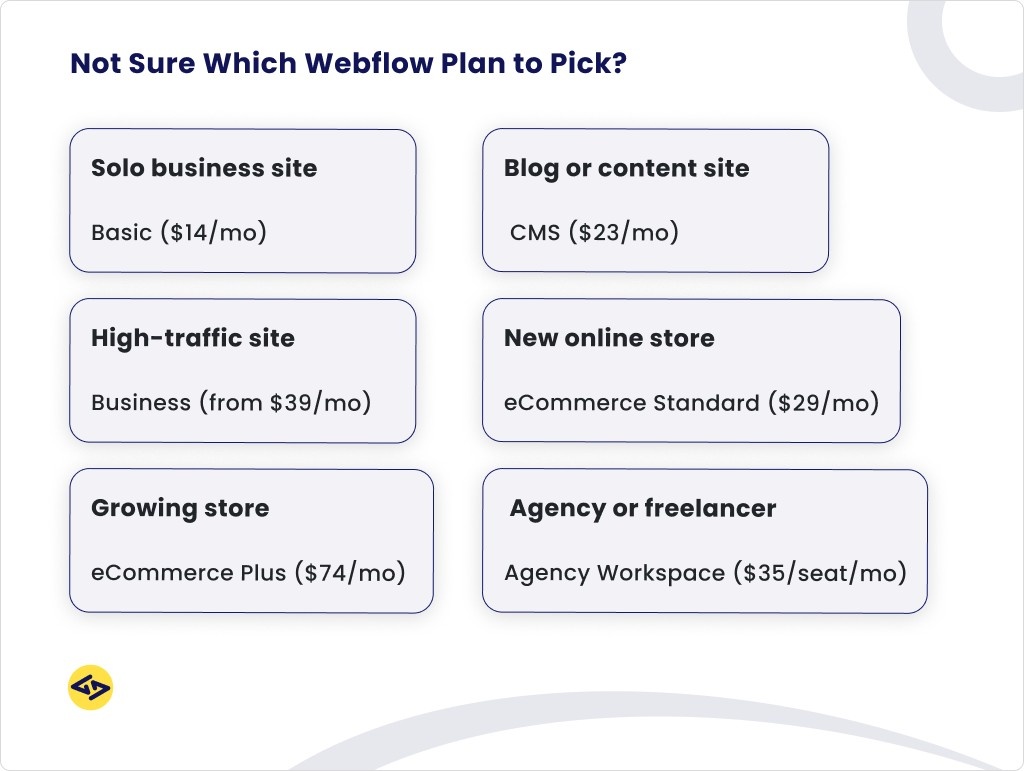
Quick answer by situation:
| Who You Are | Recommended Plan | Annual Cost |
| Testing Webflow, learning the platform | Starter (Free) | $0 |
| Solo business site, no blog | Basic Site Plan | ~$168/yr |
| Blog, portfolio, content-led brand | CMS Site Plan | ~$276/yr |
| Large site, heavy content operation | Business Site Plan (modular) | $468+/yr (from $39/mo) |
| New online store (under ~$3,700/mo sales) | eCommerce Standard | ~$348/yr |
| Growing store (removing transaction fees) | eCommerce Plus | ~$888/yr |
| High-volume retailer | eCommerce Advanced | ~$2,544/yr |
| Freelancer managing client sites | Freelancer Workspace + per-site plans | $192+/yr |
| Agency managing multiple clients | Agency Workspace + per-site plans | $420+/yr |
| Large org, compliance & SLA needs | Enterprise (Site + Workspace) | Custom |
| 💡 The honest rule of thumb
If you manage only one site for yourself, all you need is a Site Plan. The free Workspace covers solo work. Workspace paid plans exist for collaboration, multiple projects, and client services. |
What Does Webflow Development Actually Cost? (Agency vs. DIY)
Choosing your Webflow plan is step one. Building the site well is step two. Whether you build it yourself or hire a Webflow development agency changes the equation significantly.
| Project Type | Typical Budget | Includes |
| Landing page (1 page) | $800 – $2,500 | Design, build, basic animations, form |
| Small business site (5–10 pages) | $3,000 – $8,000 | CMS blog, forms, branded design |
| SaaS or marketing site (10–25 pages) | $6,000 – $15,000 | CMS architecture, integrations, motion |
| eCommerce Webflow build | $6,000 – $18,000 | Product catalog, checkout, integrations |
| Enterprise / multilingual site | $15,000 – $50,000+ | Multi-locale, API, advanced CMS setup |
These are one-time project costs. Your Webflow Site Plan covers ongoing hosting.
What to look for in a Webflow agency: demonstrated portfolio work, clear CMS planning, and experience with Core Web Vitals and Webflow SEO. You can explore our completed projects — including the RWAA Games web development build — for real-world examples of what’s possible on Webflow.
We also work with agencies that need a silent development partner. Our white-label Webflow development service handles builds under your brand.
| Ready to build your Webflow site?
Tell us what you’re building and we’ll recommend the right plan, scope the CMS architecture, and give you a clear development quote — no obligation. |
Frequently Asked Questions
How much does Webflow cost per month?
Site Plans start at $14/month (Basic, annual billing). The CMS plan — the most popular choice — is $23/month annually or $29/month on a monthly subscription. eCommerce plans start at $29/month. Workspace plans for teams start at $16/month per seat for Freelancer or $19/month for Core in-house.
What are the limitations of the Webflow free plan?
The free Starter plan limits you to 2 pages, a Webflow.io subdomain (no custom domain), 50 CMS items, 1 GB bandwidth, and 50 form submissions/month. You can’t export code or publish on a custom domain.
Can I switch Webflow plans later?
Yes, anytime. Webflow prorates unused credit from your current billing cycle and applies it toward the new plan. Starting small and upgrading when you need to is the recommended approach — and it’s how Webflow intends the plans to work.
Is Webflow worth it in 2026?
For marketing-focused businesses and teams where design quality matters, yes. Bundled hosting, CDN, SSL, and a visual CMS eliminate the maintenance overhead of self-hosted WordPress. The tradeoff is price. If you’re on a tight budget and happy with templates, Squarespace or WordPress.com may be sufficient. If brand design is a strategic differentiator and you want zero server headaches, Webflow consistently delivers.
Why is Webflow so expensive?
Webflow’s price includes hosting, CDN, SSL, security, backups, and a visual design tool — all managed, all bundled. When you add those same components to a self-hosted WordPress site, the gap closes significantly. The fair comparison isn’t Webflow vs. a $5/month host; it’s Webflow vs. a fully maintained, professionally hosted WordPress setup. That comparison often comes out in Webflow’s favor.
Is Figma or Webflow better?
They’re different tools for different jobs. Figma is a design and prototyping tool — it creates static mockups. Webflow is a web development and hosting platform — it creates live websites. Most professional workflows combine both: design in Figma, build in Webflow. If you’re using Figma already, see how our
Figma design services and UI/UX design services feed directly into Webflow builds.
How much does a 20-page website cost?
A 20-page Webflow site with a CMS blog, contact forms, and standard animations typically costs $5,000–$12,000 to build with a professional agency. The Webflow Business plan ($39/month) comfortably handles a site of this size. Ongoing hosting is the main recurring cost after launch.
Does Webflow offer discounts?
Yes — though they’re not prominently advertised. Eligible nonprofits can get a 50% discount on Basic, CMS, and Business Site Plans (renewable annually — contact support@webflow.com with proof of status). Students can apply for a free annual CMS plan through Webflow’s education program.
Webflow pricing in India — is it different?
Webflow’s published pricing is in USD and applies globally, including India. However, the relative cost is significantly higher for Indian customers due to the exchange rate. Many Indian businesses and agencies work with Webflow because the platform’s quality justifies the cost — especially when building for international clients or SaaS products targeting global markets.