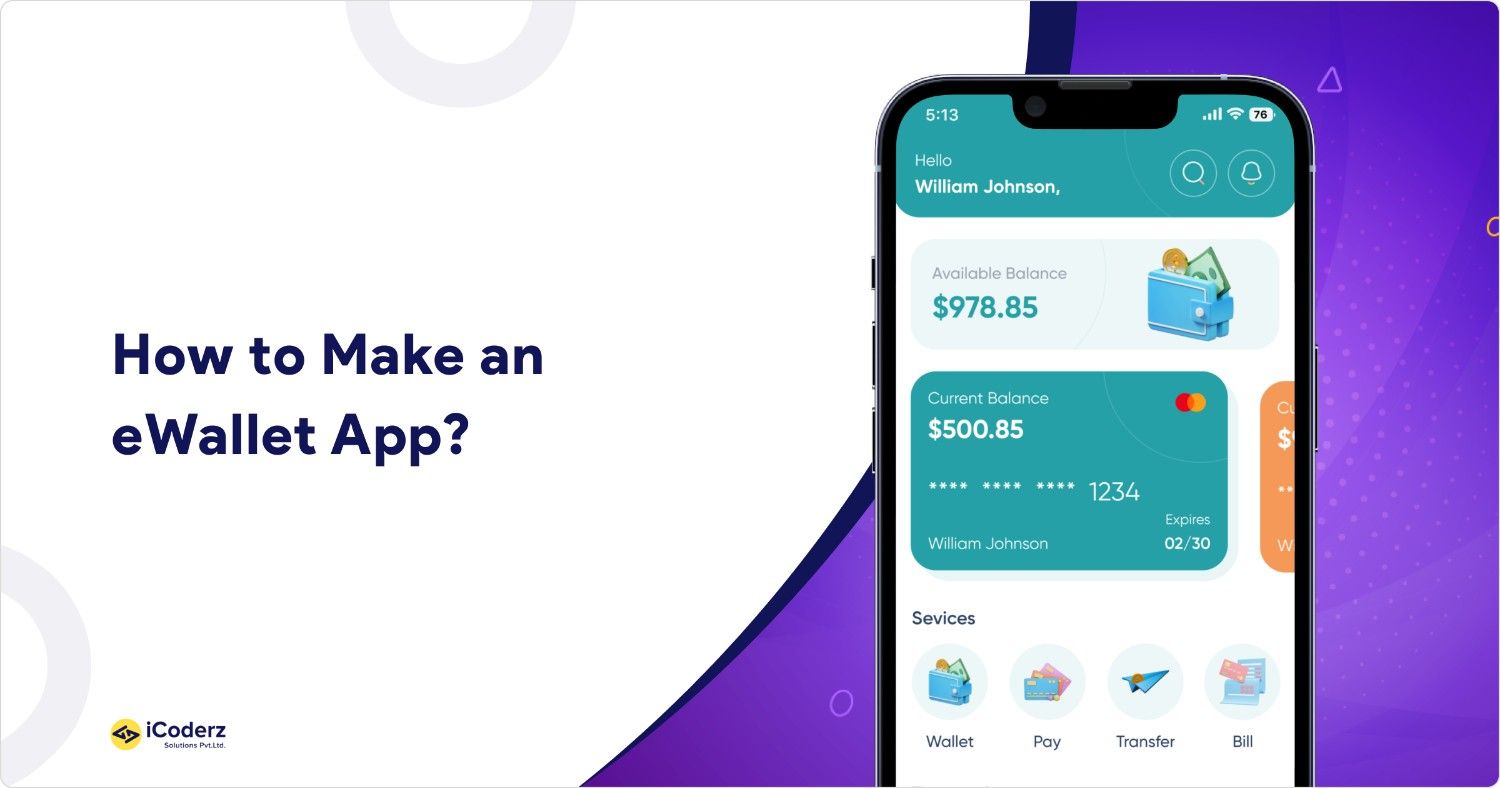
Everything you need to know — from what an eWallet app actually is, to how to build one, what it costs, and how it makes money.
| 4.5B+
Users worldwide |
$17T
Projected transaction volume by 2029 |
26%+
Annual market growth through 2034 |
Remember when paying for something meant fumbling for cash or swiping a card? That world is quickly disappearing. Today, billions of people tap their phones to pay for groceries, split restaurant bills, send money across borders, and manage their finances — all through an eWallet app.
If you are a business owner, startup founder, or product manager wondering whether building an eWallet app makes sense for your company, you are in the right place. This guide answers every key question about the eWallet app development, plainly and practically — without drowning you in technical jargon.
What is an eWallet App?
An eWallet app (short for electronic wallet) is a mobile or web application that lets users store payment information securely, send and receive money, and make purchases — all without needing physical cash or cards. Think of it as a digital version of the wallet in your pocket, but far more capable.
When a user sets up an eWallet, they link it to a bank account, debit or credit card, or fund it directly. From that point, they can:
- Pay at stores by tapping their phone (contactless/NFC)
- Scan a QR code to pay a merchant
- Send money instantly to friends or family
- Pay utility bills, subscriptions, or mobile recharges
- Receive cashback, loyalty rewards, and offers
- Track their spending in one place
Popular global examples include Google Pay, Apple Pay, PayPal, Samsung Pay, Venmo, and Cash App.
In India and Southeast Asia, apps like Paytm and GrabPay have become deeply embedded in daily life. Even coffee shops like Starbucks have built their own closed-loop wallet apps.
How an eWallet App Works — Without the Tech Jargon
At its core, an eWallet does three things:
- Stores your payment details securely. Your card or bank account numbers are never stored in their raw form. Instead, the app uses a process called tokenization — replacing your real card number with a randomly generated token. This means even if someone intercepts the data, it is useless to them.
- Verifies your identity before each transaction. This might be a PIN, fingerprint, or face recognition — preventing unauthorized use even if your phone is lost.
- Communicates with payment networks. When you tap to pay, the app sends a secure, one-time payment signal to the point-of-sale terminal via NFC (near-field communication) or shows a QR code that the merchant scans.
| In short: your real payment details stay hidden. The transaction happens via a secure token or code that expires immediately after use. This is why eWallets are often more secure than swiping a physical card. |
Types of eWallet — Pick the Right Model First
| Type | When to Use It |
| Closed Wallet | Works only within one company’s ecosystem. Best for e-commerce, food delivery, or loyalty programs. Example: Starbucks App. |
| Semi-Closed Wallet | Usable across a network of merchant partners. No cash withdrawal. Best for regional fintech platforms. |
| Open Wallet | Works everywhere — in-store, online, ATM withdrawals. Requires a banking partnership. Example: Google Pay, PayPal. |
| Crypto Wallet | Stores keys to access cryptocurrencies on the blockchain. Best for Web3, DeFi, or exchange platforms. |
Advantages of eWallet Apps — For Businesses and Users
Why are businesses across every industry investing in eWallet development? The benefits go well beyond convenience.
For Users
| Benefit | What It Means for Users |
| Instant payments | No cash, no card swipes — pay in seconds via tap or QR code |
| Security | Tokenization and biometric authentication reduce fraud risk vs. physical cards |
| All-in-one financial view | Track spending, manage cards, and view transaction history in one place |
| Rewards and cashback | Earn points on every transaction — a compelling reason to use the app daily |
| Accessibility | Financial tools for people without traditional bank accounts |
| Speed at checkout | Faster than chip+PIN, especially for small everyday purchases |
For Businesses
| Advantage | Business Impact |
| Customer retention | Users who store money in your wallet or earn rewards come back more often |
| Lower payment processing costs | Direct account-to-account transfers reduce card network fees |
| Rich data insights | Transaction data reveals purchasing behavior for personalized offers |
| New revenue streams | Transaction fees, premium features, merchant partnerships |
| Faster checkout = fewer abandoned carts | Especially important for e-commerce conversion rates |
| Competitive differentiation | A branded wallet sets you apart in crowded markets |
The Market Opportunity Is Real
The scale of adoption validates the investment:
- 4.5 billion people used digital wallets in 2025 — more than half the global population
| The question for most businesses is no longer whether to offer a digital payment experience, but how to build one that keeps users coming back. |
Key Features of a Successful eWallet App
Before your development team writes a single line of code, you need to know what features your app must have — and which ones can come later. Building everything at once is expensive and unnecessary. Smart development starts with a focused first version (called an MVP — Minimum Viable Product) and expands based on real user feedback.
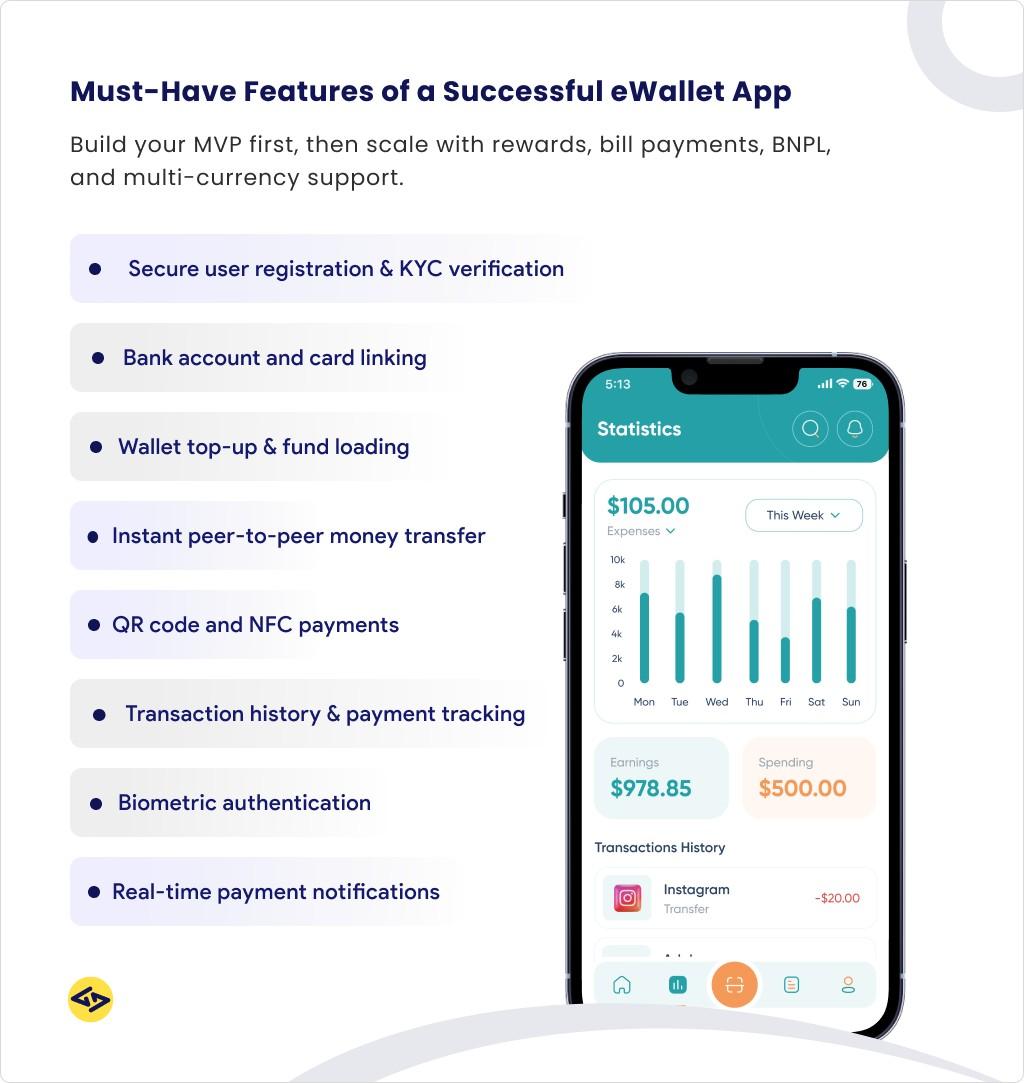
Must-Have Features (MVP)
- User registration and identity verification (KYC): Users sign up, verify their identity with an ID document or phone number, and complete Know Your Customer checks required by financial regulations.
- Link bank accounts and cards: Users can connect their existing payment methods to fund the wallet or pay directly.
- Wallet top-up / load funds: Let users add money via bank transfer, debit card, UPI, or other payment rails available in your market.
- Send and receive money (P2P transfers): The core use case — sending money to friends or family using a phone number, email, or username.
- QR code and NFC payments: Pay at physical stores without touching a card reader or handing over cash.
- Transaction history: A clear, searchable record of all transactions builds user trust.
- Security features: PIN, fingerprint, or face ID unlock. Session timeouts. Real-time fraud alerts.
- Notifications: Instant payment confirmation, low balance alerts, and promotional messages.
Growth-Stage Features (Post-Launch)
- Bill payments and utility top-ups: Electricity, gas, mobile recharges, streaming subscriptions — a major driver of daily app usage.
- Merchant integrations: Enable businesses to accept payments via your platform, including an in-app merchant directory.
- Cashback, rewards, and loyalty programs: Points per transaction, tiered rewards, or exclusive discounts — proven tools for user retention.
- In-app financial tools: Spending analytics, budget categories, and savings goals turn the wallet into a financial planning tool.
- Multi-currency and international transfers: For apps targeting travelers or diaspora markets.
- Buy Now Pay Later (BNPL): Split purchases into installments — a high-growth feature in consumer finance.
- Virtual debit cards: A digital card number users can use for online purchases even before a physical card arrives.
How to Create an eWallet App ? Step-by-Step
Building an eWallet app is not just a technical project — it is a business, legal, and design project that happens to involve engineering. Here is a realistic, end-to-end walkthrough.
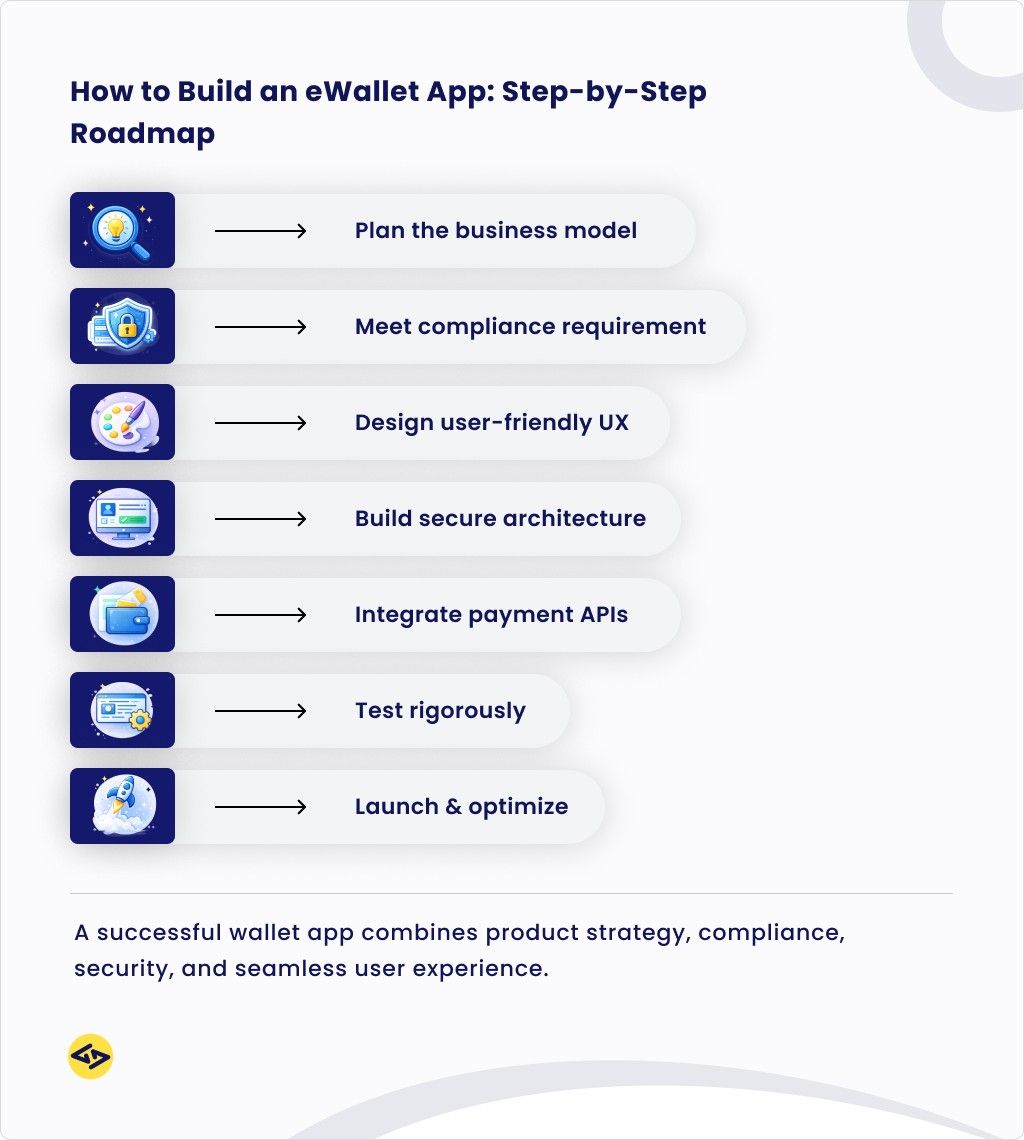
Step 1: Define Your Business Model and Market
Before you think about screens or servers, answer these questions:
- Who is your target user? (Consumers, small businesses, enterprises, a specific region?)
- What type of wallet will you build? (Closed, semi-closed, open — see Section 2)
- What is your primary value proposition? (Speed? Rewards? Financial inclusion? Merchant tools?)
- What payment rails exist in your target market? (UPI in India, Faster Payments in the UK, ACH in the US, etc.)
- What regulations apply? (This determines your legal structure, partner requirements, and timeline)
| Skipping this step is the single biggest cause of costly pivots and overruns. An hour of strategic planning here can save months of rework later. |
Step 2: Understand the Regulatory Requirements
eWallet apps handle real money, which means regulators take them seriously. Requirements vary by country, but here is what you will typically need to navigate:
| Regulation / Standard | What It Means for Your App |
| KYC (Know Your Customer) | Verifying user identities — required to prevent fraud and money laundering |
| AML (Anti-Money Laundering) | Systems to detect and report suspicious transaction patterns |
| PCI-DSS compliance | Payment Card Industry security standards if you handle card data |
| Data privacy laws | GDPR (Europe), CCPA (California), or local equivalents depending on your market |
| Payment licenses | May require an e-money institution license, payment service provider registration, or banking partnership |
| PSD2 / Open Banking rules | In Europe, specific requirements around third-party payment services |
Working with legal counsel early — before development begins — saves far more time and money than fixing compliance issues after launch.
Step 3: Choose Your Development Approach
You have three main paths to building an eWallet app:
Build from scratch. Maximum control and customization. Best for companies with complex, unique requirements and significant technical resources. Typically takes 9–18 months for a solid MVP.
Use a white-label platform. Purchase an existing eWallet software platform and brand it as your own. Dramatically faster (weeks instead of months), lower initial cost, but less flexibility and ongoing licensing fees.
Hybrid approach (recommended for most). Use pre-built APIs and components for commodity functions (KYC, payment gateways, fraud detection) and build custom code for your differentiating features. Balances speed, cost, and flexibility.
Step 4: Design the User Experience
In financial apps, good design is not about aesthetics — it is about trust. Users will abandon any wallet that feels confusing, slow, or insecure. Key design principles:
- Onboarding must be smooth. Every extra step in sign-up loses users. KYC is legally required but should feel as effortless as possible.
- Every transaction should give immediate, clear confirmation. Ambiguity during a payment creates anxiety and destroys trust.
- Error messages must be human-readable. “Transaction failed — please try again” is not helpful. Explain what went wrong and what to do.
- Security should be visible but not burdensome. Show users their account is protected without requiring them to jump through hoops for routine actions.
- Accessibility matters. Design for users with visual impairments, older users, and those with limited digital literacy — especially important in emerging markets.
Step 5: Build the Core Architecture
Your development team will need to build (or integrate) these core technical components. You do not need to understand the details — but you should know what each layer does:
| Component | What It Does |
| User-facing app (frontend) | The screens and interactions users see and touch. Can be built for iOS, Android, or both simultaneously using cross-platform tools. |
| Backend server | The engine that processes requests, manages accounts, runs business logic, and communicates with payment networks. |
| Database | Secure storage for user profiles, transaction records, and account balances. |
| Payment gateway integration | Connects your app to card networks, bank transfers, and other payment rails. Often uses third-party providers like Stripe, Braintree, or local equivalents. |
| KYC and identity verification | Usually integrated via specialized third-party APIs (e.g., Onfido, Jumio, Sumsub) that handle document scanning and verification automatically. |
| Security and fraud detection | Encryption, tokenization, multi-factor authentication, and AI-based anomaly detection for suspicious transactions. |
| Notification system | Real-time push notifications, SMS, and email alerts for transactions and updates. |
| Admin dashboard | Internal tools for your team to manage users, review flagged transactions, handle disputes, and run the business. |
| A note on security: Financial apps are high-value targets for attackers. Your development team should implement security measures from day one — not bolt them on after launch. Look for experience with PCI-DSS compliance, end-to-end encryption, and penetration testing. |
Step 6: Integrate Payment Partners and APIs
Very few eWallet companies build their own payment infrastructure from scratch. Instead, they integrate with established third-party services:
- Payment gateways (Stripe, Braintree, Adyen, Razorpay) to accept card payments
- Banking APIs (Plaid, TrueLayer, Salt Edge) to connect user bank accounts
- KYC/identity providers for automated user verification
- Fraud detection tools (often AI-powered) to flag suspicious activity
- SMS and notification gateways for real-time alerts
Step 7: Test Rigorously — Especially the Edge Cases
Testing a payment app is not the same as testing a social media app. A bug in a social feed is annoying. A bug in a payment flow can mean real money being lost, transactions double-processed, or users locked out of their funds.
Your testing should cover:
- Functional testing: does every feature work as intended?
- Security testing: penetration tests, vulnerability assessments, encryption verification
- Performance testing: can the system handle thousands of simultaneous transactions without slowing down?
- Device and OS compatibility: different phones, screen sizes, and operating system versions
- Edge cases: what happens when a transaction fails halfway through? What if the user loses connection mid-payment?
Step 8: Launch, Comply, and Iterate
Before submitting to app stores, make sure you have:
- Completed all regulatory filings and obtained necessary licenses
- A customer support process in place for disputes and complaints
- A privacy policy and terms of service reviewed by legal counsel
- A fraud monitoring system that is staffed and operational
After launch, the work continues. Collect user feedback actively. Monitor transaction success rates, error rates, and support ticket volumes. The most successful eWallet apps improve continuously — adding features, fixing friction points, and expanding into new use cases based on what users actually do.
How Much Does It Cost to Build an eWallet App?
This is the question most founders and product managers ask first — and the honest answer is: it depends. But there are realistic ranges based on scope, team location, and platform choice.
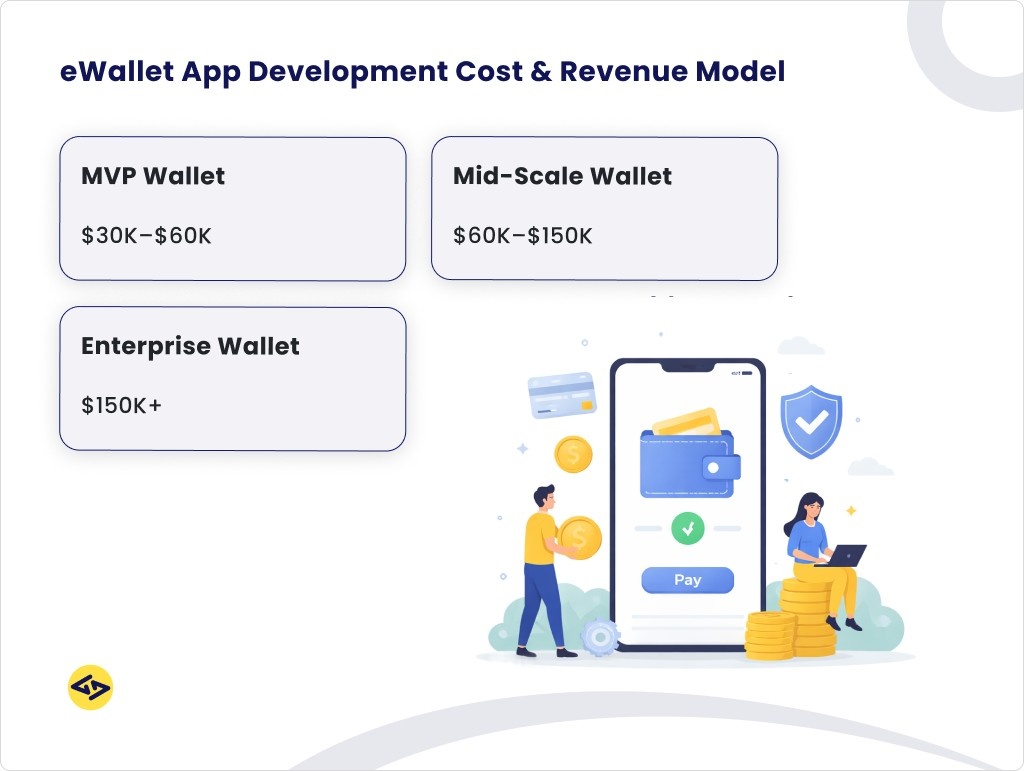
Cost by App Complexity
| App Type | Estimated Cost & Timeline |
| Basic MVP Wallet | $30,000 – $60,0006–9 months build time |
| Mid-Range Wallet with Multiple Features | $60,000 – $150,0009–14 months build time |
| Full-Featured Enterprise eWallet | $150,000 – $300,000+14–24+ months build time |
What is included in each tier:
Basic MVP: User registration, KYC, wallet top-up, P2P transfers, QR payments, transaction history. Single platform (iOS or Android). Basic fraud detection. Suitable for validating the concept with real users before expanding.
Mid-Range Wallet: Everything in MVP, plus bill payments, merchant integrations, rewards/cashback, spending analytics, multi-platform (iOS and Android), admin dashboard, more sophisticated security.
Enterprise Wallet: Everything above, plus multi-currency support, BNPL, AI-powered fraud detection, international transfers, advanced compliance tooling, high-availability infrastructure, dedicated support, multiple integrations.
How Development Team Location Affects Cost
| Region | Hourly Rate Range | Notes |
| North America / Western Europe | $100 – $250 per hour | Highest rates, easiest time zone alignment for US/EU companies |
| Eastern Europe | $40 – $100 per hour | Strong technical talent, good English proficiency, significant cost savings |
| South & Southeast Asia | $25 – $80 per hour | Large developer pool, significant cost savings, wider quality variance |
| Latin America | $40 – $90 per hour | Strong talent in Brazil and Mexico, similar time zones to US |
| A common mistake: choosing the cheapest team without evaluating their fintech experience. Building payment apps requires specialized knowledge of security, compliance, and payment integrations. A team that has built social apps may not be the right fit for a regulated financial product. |
How Do Wallet Apps Make Money?
The most profitable eWallet businesses stack multiple revenue streams rather than relying on one. Here are the primary models:
| Revenue Stream | How It Works |
| Transaction fees | A small cut on every payment or transfer — flat fee or percentage. Scales powerfully with volume. |
| Interchange revenue | When users pay with a linked virtual card, the merchant’s bank pays a fee that flows partly back to the wallet provider. |
| Interest on balances | Money stored in wallets can be invested in short-term instruments. The wallet keeps the spread. Requires banking license or partnership. |
| Premium subscriptions | Free core experience; charge for higher limits, better exchange rates, or advanced financial tools. |
| Merchant services | Fees for payment acceptance, analytics tools, promotional placements, or working capital loans to merchants. |
| Embedded financial products | BNPL, insurance commissions, investment products — each adds a revenue layer and keeps users in-app longer. |
Security: The Non-Negotiable Foundation
eWallet apps are among the most targeted applications by cybercriminals because they handle real money. Security cannot be an afterthought — it must be designed into the product from day one.
Essential Security Measures
- End-to-end encryption: All data transmitted between the app and your servers must be encrypted in transit and at rest. No exceptions.
- Tokenization: Replace real card and account numbers with random tokens. If a token is stolen, it cannot be used elsewhere.
- Multi-factor authentication (MFA): Require something the user knows (PIN) plus something they have (their phone) or are (biometrics) to authorize transactions.
- Biometric authentication: Fingerprint and face recognition are now standard expectations — and more secure than passwords for mobile apps.
- Session management: Automatically log users out after periods of inactivity. Prevent multiple simultaneous active sessions.
- Real-time fraud monitoring: AI-powered systems that flag unusual transaction patterns (unexpected location, unusually large amounts, rapid sequential transactions) and pause them for review.
- PCI-DSS compliance: If your app handles card data at any point, compliance with Payment Card Industry security standards is not optional — it is a contractual requirement from card networks.
- Regular penetration testing: Third-party security experts should regularly attempt to break into your systems to find vulnerabilities before attackers do.
Common Mistakes to Avoid
Having seen hundreds of fintech launches, these are the most common — and costly — mistakes:
- Building too much too fast: Launching with 40 features means none of them are polished. Ship a focused MVP, learn from real users, then expand. Complexity is the enemy of quality in a financial product where trust is everything.
- Underestimating compliance: “We will handle the legal stuff later” is an incredibly expensive phrase. Payment licenses, KYC processes, and regulatory requirements must be scoped and budgeted from day one — not retrofitted after you have 50,000 users.
- Treating security as a feature rather than a foundation: Security is not a checkbox you tick before launch. It is a continuous process. Plan for regular audits, penetration testing, and a rapid-response process for security incidents.
- Ignoring user onboarding friction: The most common point of abandonment is sign-up. Every extra field, every confusing step, every unclear instruction costs you users. Invest heavily in a seamless onboarding experience.
- Not planning for fraud from day one: New payment platforms are immediately probed by fraudsters. Without automated fraud detection in place at launch, you can experience significant financial losses in the first weeks.
- Choosing partners on price alone: The cheapest development team for a financial product is almost never the best value. Look for experience, compliance knowledge, and security expertise — then negotiate on price.
| Ready to Build Your eWallet App?
Whether you are at the idea stage or ready to start development, getting a detailed scope and cost estimate from an experienced fintech development partner is the right first step. The goal: understand your real options, compliance requirements, and a realistic path to launch — before committing your budget. Talk to a fintech development specialist to get a scoped estimate for your specific use case. |